

This may come as a surprise, but global email users are expected to reach a staggering 4.73 billion by 2026. Email, one of the oldest forms of communication, remains a preferred method for both personal and business communication due to the safety, privacy, and reliability it offers. Moreover, with the availability of the best free email providers, sending and receiving emails is still a cost-effective and universally accepted means of interaction with others if you choose the right email provider for daily convenience and security, as it ensures smooth communication and safeguards your private information.
Not all free email services are trustworthy. Many free email providers expose you to significant security risks, as they have weak encryption to protect your data (or some don’t have any encryption at all), and are prone to data breaches due to security loopholes.
Hence, to protect you from these risks, we, a team of technology and cybersecurity experts, personally tested a wide range of email services to compile, in this article, a list of the best free email providers, including Gmail, Outlook, Mail.com, Neo, and Proton Mail. Before we introduce you to these top services, here is an overview of our testing methodology, so you can rest assured that you will find only truly free and safe email service providers.
How We Chose the Best Free Email Providers
Over the course of 2 months, i.e., nearly 9 weeks, we tested multiple email services. In our tests, we compared these services on many different factors, such as their security and privacy, storage space, ease of use, compatibility, spam and phishing protection, integration with other services, backup and recovery options, reliability and uptime, customization and filters, customer support, and terms of service and policies related to data handling.
Moreover, we ensured the services in this article have all or most of the following features.
Key features of the best free mail providers
- Spam filtering, phishing protection, end-to-end encryption, multifactor authentication, and other security features.
- Plenty of storage space, at least 1-15 GB of storage, and expandable.
- Availability of inbox organization options such as filters, automatic sorting, labels, unsubscribe tools, and search.
- Support for email protocols, such as IMAP, POP3, and SMTP, to allow you to access and manage your emails across various devices.
With a clear understanding of how we tested and what to look for in free email service providers, let’s introduce you to our top picks.
What Are the Best Free Email Providers
Our free email provider list includes Gmail, Outlook.com, Mail.com, Neo, and Proton Mail. Below, we review all these email service providers to help you choose the best one for your requirements.
1. Gmail- best for integration with other productivity applications
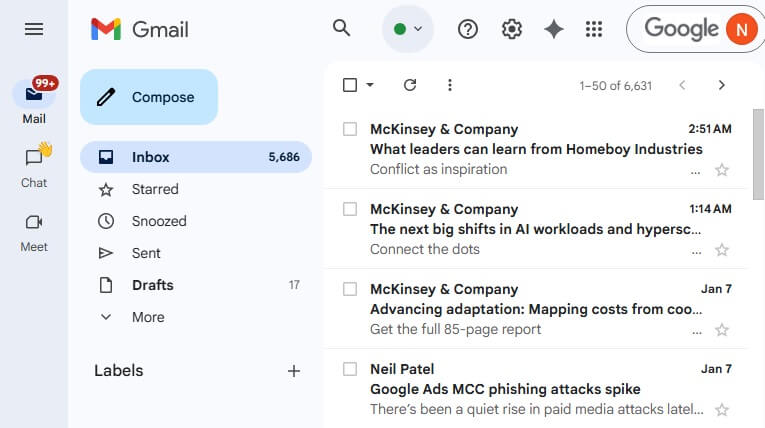
Gmail is the most popular free email provider with a user base of over 1.5 billion users. For those already a part of the Google ecosystem, it offers a wide range of collaboration tools through easy integration with Google Sheets, Google Docs, and Slides, allowing you to share and collaborate on documents and spreadsheets in real time.
Additionally, the availability of Google Meet further makes Gmail the best free email for those who need seamless communication and collaboration. Furthermore, this mobile and desktop-friendly service offers the following features to justify its popularity.
Key features of Gmail
- Smart spam filtering identifies and filters out unwanted emails.
- Two-factor authentication prevents unauthorized access to your email account.
- Automatic categorization of emails into Primary, Promotions, Updates, and Forums tabs for a clean inbox and easy accessibility.
- A search functionality to find the desired email by keywords, email addresses, and other filters, such as attachment types or date ranges.
- Emails are categorized into neat Sent, Drafts, and Spam folders.
Pros
- Intuitive and friendly interface
- AI-powered capabilities, such as Smart Compose for easy email composition
- Ample free storage (15 GB) shared across various Google services
- A generous attachment limit of 25 MB per email
- Powerful security features, including strong spam detection and SSL encryption
Cons
- Often flagged for vague data protection policies
- Ads for free users
Click here to learn more about Gmail
Also know: How to Encrypt and Secure an Email in Outlook
2. Outlook.com- best for a focused inbox
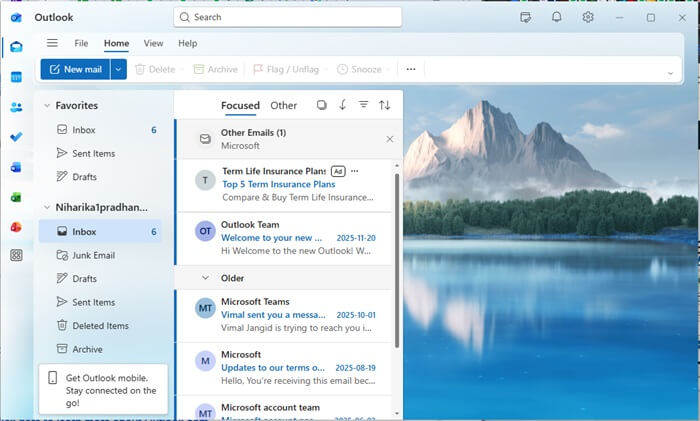
Outlook, previously known as Hotmail, stands out from the rest of the best free email services for its unique, focused inbox. This feature uses machine learning to analyze and rank incoming emails based on their importance automatically. It displays the important messages separately in a Focused tab and the less important ones in the Other tab to help you prioritize essential emails.
Moreover, like Gmail is with Google applications, Outlook integrates seamlessly with Microsoft apps, such as Excel, Word, and PowerPoint, to ensure effortless collaboration for streamlined workflows.
In addition to integration capabilities, Outlook supports Sweep rules, i.e., quick deletion of multiple emails from one or more senders in your inbox. This allows you to transfer the emails to folders other than Deleted Items, such as a custom folder or Archive. Furthermore, the following are some other notable features that make Outlook one of the best free email services.
Key features of Outlook.com
- The built-in calendar lets you schedule appointments, set reminders, and share your calendar with others.
- You can track your to-do list and deadlines for better productivity.
- There are strong security features, such as spam filtering, message encryption (needs a Microsoft 365 subscription), and advanced threat protection.
- Availability of a huge 15 GB of email storage space and a dedicated 5 GB of OneDrive cloud storage.
Pros
- Allows you to send attachments up to 25 MB
- Clear and user-friendly interface
- Support for advanced automation rules
Cons
- Ads in the free version
- Strict spam filters often misplace genuine emails
- Not very compatible with other email services
Click here to learn more about Outlook.com
3. Mail.com- best for a wide range of domain names
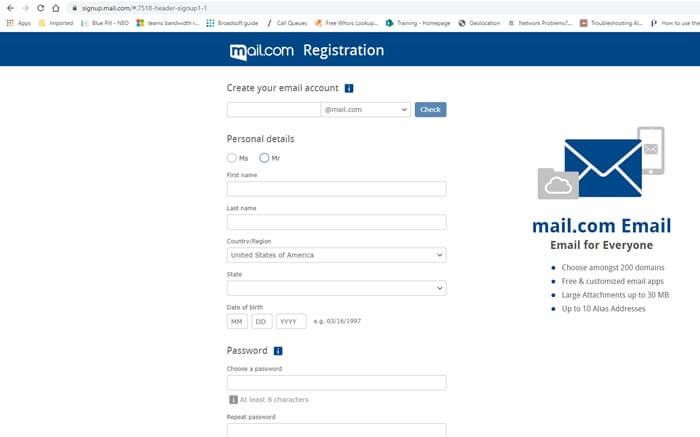
Mail.com is a free email provider with custom domains. It lets you choose from over 200 domain names, allowing easy personalization for lifestyle or professional emails. In addition to saving the domain cost, it allows you to send emails as large as 30 MB for seamless document or zipped file sharing.
Moreover, a mail collector that consolidates emails from other accounts into a single inbox, and the following features justify Mail.com’s name among the best free email providers.
Key features of Mail.com
- It includes all security features, such as a spam filter, antivirus, and two-factor authentication.
- You can create up to 10 email addresses and manage all of them with a single login.
- There is an organizer to schedule appointments, set reminders, and synchronize with other calendars.
- It lets you create your own filter rules or use built-in templates to sort incoming emails automatically into the desired folder.
- Mail.com supports an online address book with search, filtering, import, and sync for seamless contact management.
Pros
- Free 2 GB cloud storage with an option to upgrade
- Quick and easy registration
- 65 GB of available storage space in the inbox
Cons
- A bit unclear user interface
- Displays advertisements
- Security features are not as powerful as those of other top email providers
Click here to learn more about Mail.com
4. Neo- best for AI-powered features (summarization and text generation)
Neo is a great choice for small businesses and entrepreneurs looking for the best email services to send professional emails. You can use the Smart Write feature to draft ready-to-send emails easily in your tone and preferred length. This AI-based feature composes the entire email message, and you can tweak it later to fit your requirements.
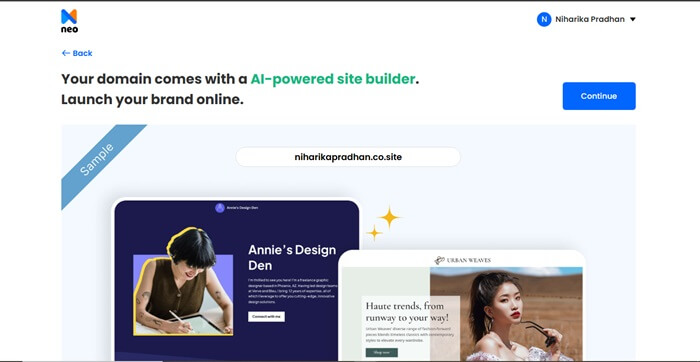
Moreover, AI email summarization and text-to-speech are other useful AI tools available in Neo. Additionally, you can create a complete website with Neo’s AI website builder to ensure a unique online presence, in addition to making the most of the following email features.
Key features of Neo
- You can set up personalized meeting pages for clients, prospects, and team members.
- There are many features to boost productivity, such as a unified inbox, email read receipts, snooze, email automation, and email tracking.
- Neo integrates seamlessly with Outlook and Gmail.
Pros
- Easy to set up
- An all-in-one email hosting, website building, and marketing tool
- Allows you to choose custom domains for professional email addresses
- Caters perfectly to the needs of small businesses and freelancers
- Allows you to view multiple accounts simultaneously
Cons
- Not free for a lifetime (only a free trial is available)
- Not available offline
Click here to learn more about Neo
Also know: What Are Phishing Scams and How to Avoid Them
5. Proton Mail- best for privacy and security features
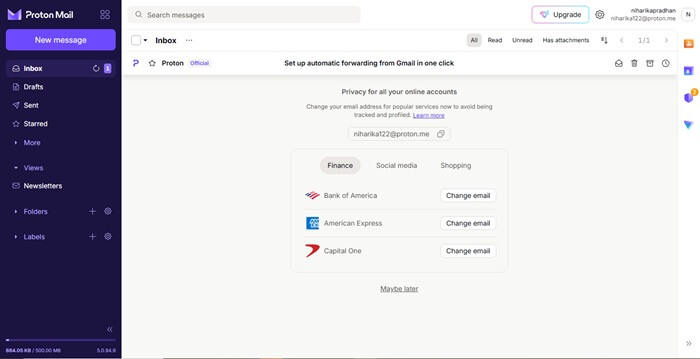
Proton Mail is among the most secure free email providers with privacy and security-focused features, such as client-side encryption, tracking pixel blocking, hidden IP addresses, and an option to password-protect your emails.
Besides email security features rarely seen on many other free email service providers, Proton Mail helps organize your inbox with clear labels, folders, and filters, search for the desired email (all of the email contents and not only the subject line and sender’s address) with a handy search tool, end-to-end encryption, and offers the following remarkable features.
Key features of Proton Mail
- A Switzerland-based (Switzerland is known for its strict privacy laws) open-source email provider.
- It supports Open PGP encryption and two-factor authentication for added security.
- The emails and attachments are encrypted on the servers, i.e., zero-access encryption, making your messages unreadable even to Proton.
- It offers seamless integration with the Proton ecosystem, including Proton VPN, Calendar, Drive, and Password Manager.
- You can send self-destructing emails, i.e., emails that disappear after a set time.
- Its dark web monitoring alerts you if your account is at risk.
Pros
- Advanced privacy and security
- Ad-free with no tracking
- It offers 1 GB of free storage
- You can send email attachments of up to 25 MB per email
Cons
- No integration with third-party email services
- Daily limit of 150 email messages in the free plan
- Fewer collaboration and productivity features
Click here to learn more about Proton Mail
With that, we have come to the end of our list of the best free email providers to communicate with emails for personal and professional use. We hope this helps, and you get what you are looking for.
