

Imagine receiving a message, seemingly from your company’s overseas CFO, requesting a confidential transaction. You even get invited to a video conference where you interact with the “CFO” and other staff members, and having no reason to doubt, you end up making multiple financial transfers totaling a whopping $25 million, becoming a victim of a phishing scam.
That’s not just a story, but a real phishing scam that occurred with a finance employee in Arup’s Hong Kong office in early 2024. In fact, a report reveals that over half, i.e., 56% of businesses have experienced phishing attacks in the past year.
This number is expected to rise with the use of generative AI for audio creation, live filters, and deepfake videos (according to research, seven in ten, i.e., nearly 70% of organizations expect a phishing attack in 2026).
A report even discloses that nearly 87% of organizations believe deepfakes and other AI-generated methods are making phishing scam attempts more convincing. It makes it more necessary than ever to understand phishing and how to prevent it.
Hence, we have compiled this guide on phishing so no scammer can go phishing to catch your money, passwords, or personal information. Let’s get right into understanding phishing.
What Is a Phishing Scam
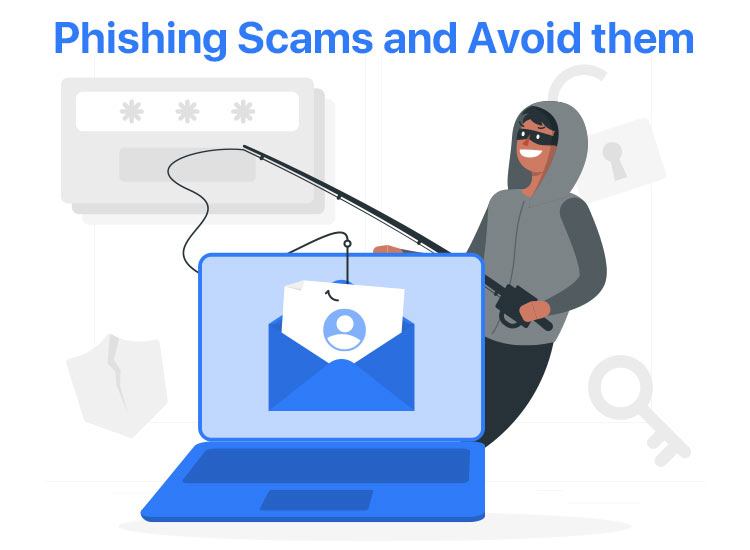
Imagine going fishing to catch a fish. You lure the fish with bait and capture it in a net to make your meal. Phishing is very similar. Phishing in cybersecurity is an attempt to steal sensitive details, such as usernames, credit card numbers, bank account information, passwords, and other crucial data, to use or sell this stolen data.
The attacker lures you with an email or SMS that appears to be from a trusted and reputable source, for example, a bank or a government agency, such as the US Postal Service.
These messages deceive recipients into clicking on a link with attractive offers or create a sense of urgency, pressuring them to act quickly without cross-checking the sender’s authenticity.
Some common phishing examples include fake bank alerts asking to verify accounts, shipping notifications with malicious links, and spoofed login pages for services such as Netflix or Microsoft 365, tricking you into revealing your passwords, credit card numbers, or other sensitive information by impersonating trusted entities.
Moreover, with the advancement of AI, AI-driven phishing attacks use artificial intelligence and machine learning to create more sophisticated, convincing, and customized phishing messages.
These AI-powered phishing messages may include familiar information, such as references to your recent purchases, online transactions, or interests, making them look more credible and challenging to ignore.
For example, attackers using AI to scan social media and then create highly customized emails or texts, posing as a colleague or boss, asking for sensitive information, are among the most common AI-generated phishing attacks. This kind of attack is called spear phishing, bringing us to the phishing types.
What Are the Types of Phishing Attacks
There are eleven main types of phishing: email phishing, whaling, vishing (voice phishing), smishing, angler phishing, HTTPS phishing, spear phishing, pharming, pop-up phishing, clone phishing, and evil twin.
- Email phishing: Uses fraudulent emails that appear to be from legitimate sources, tricking you into revealing your sensitive details. For example, an email notifying you that your account has been compromised and asking you to reset your password before the account is locked.
- Whaling: A phishing attack specifically targeted at high-profile individuals, such as CEOs or CFOs, to steal sensitive company information. For example, an attacker poses as the CEO and mails to the CFO, asking them to transfer a large sum of money to an overseas bank account.
- Vishing: Voice phishing, also known as Vishing, tricks people through voice or phone calls to get their sensitive information. For example, the attacker calls you impersonating a representative from your bank, claiming there is a problem with your account, creating such urgency or panic that leads you to reveal your card details or account number.
- Smishing: A phishing attack that uses SMS (Short Message Service) or text messages to trick individuals with a link that, when clicked, installs malware or redirects them to a malicious website.
- Angler phishing: The use of social media platforms where companies engage with customers. For example, the attacker impersonates a customer service or support team member to direct dissatisfied customers to fake, malicious websites while pretending to help them fix their problems.
- HTTPS phishing: Attackers create fake websites with an HTTPS protocol (a more secure protocol than HTTP) to trick users into sharing their data.
- Spear phishing: Spear phishing means targeted attacks, carried out after intensely researching the victim’s life, work, family, friends, etc., to create a sense of familiarity and leave no room for doubt. While spear phishing and whaling look similar, spear phishing targets small groups or specific individuals (for example, an employee in the finance department), whaling targets high-level executives for massive gains (for example, CEOs and CFOs).
- Pharming: A phishing attack that involves a Domain Name Server (DNS) hacking. Also known as phishing without a lure or pharmaceutical phishing, it is a large-scale attack that redirects users to a cloned or fraudulent website to trick them into revealing their personal information.
For example, using malicious code to infect a victim’s computer or DNS server to alter the system’s DNS settings. Even if the victim types in the correct website, they get redirected to a fake website (that looks legitimate), prompting them to enter their account credentials.
- Pop-up phishing: Since many websites address users using pop-ups, cyber attackers may use pop-up phishing, i.e., placing malicious code in the pop-ups that appear on a website. These pop-ups install malicious code on the device when anyone clicks on them.
For example, while browsing a popular website, a pop-up appears claiming to be a security alert from your bank. It says something like “Urgent: Your bank account has been locked due to unverified transactions or suspicious activity. To restore access to your account, please click here to verify your identity.” When you click verify, it redirects you to a fake website that resembles your bank’s website, asking you to enter your personal information.
- Clone phishing: It involves copying an email from a trusted source that was sent before to deceive victims. Hackers intercept a legitimate email, replace the attachments or links with malicious content, and resend it to the same recipients. They even add a simple reason for sending the email again to make the email seem legitimate.
For example, you get a genuine email from a trusted sender, then get the same email again with a reason like “you forgot to include the required information.” Trusting the email, you click a link or attachment (unaware of it being malicious), exposing your data or infecting your device.
- Evil twin: Evil twin phishing attacks use a fake Wi-Fi hotspot to steal the victim’s personal information or login credentials. For example, you are in a hotel (suppose Inn Suites) and see two Wi-Fi networks: one named Inn Suites_WiFi and the other called Inn Suites_WiFi_Free. The second one is an evil twin set up by a hacker who wants to access your login credentials, browsing activity, and sensitive information.
That was about the phishing meaning, i.e, sending email, text, voice, or messages, pretending to be a trusted source (for example, your bank or a popular company) to trick you into revealing your private details, such as credit card numbers, passwords, etc., and the types of phishing.
However, that’s not enough knowledge to prevent phishing.
To dodge phishing scams, you must understand how these attacks are executed so you can think ahead of the attackers.
Also know: Tailgating in Cyber Security
How Is a Phishing Attack Carried Out
Phishing scams follow a process that begins with victim selection and sending an email, instant message, text message, phone call, or QR code to the victim and ends with the attackers gaining the desired information. Let’s break it down step-by-step.
- Attackers select their victims by scanning public data (such as social media and company sites) to get personal details, such as job titles, interests, and contacts, to draft personalized and believable messages, exploiting psychological triggers (such as greed, authority, and urgency).
While generally, victims of phishing are often those who handle money or data (for example, IT or finance staff), who trust emotional or urgent requests (for example, frequent donors), and high-value executives, phishing attacks can target everyone.
- Once the targets are identified, attackers send them emails or other forms of communication.
- The victim, believing the email or communication to be genuine, clicks on the link and goes to the phishing website or follows the steps suggested by the attacker.
- Once the victim enters the phishing website or follows the steps directed by the attacker, the bad actors get the information they need and use it for their unfair purposes.
However, with AI in the picture, phishing is not as simple as it looks.
While psychological triggers, such as fear, authority, stress, overconfidence, and greed, have kept traditional phishing alive, AI has added fuel to the fire.
You may be surprised to know that, since 2022, i.e., when ChatGPT came out, phishing attacks have risen 4,151% (nearly 4,000% increase).
Guess anyone can be a hacker now with AI helping them craft perfect text messages, scannable QR codes, fake phone calls with cloned voices, and video calls with deepfake faces.
Hence, it is essential to learn how to spot phishing scams, both traditional and AI phishing.
How to Identify a Phishing Scam
Below is how to spot the signs of phishing before they work against you.
- Look for a false sense of urgency, such as claims that you have to act now to avoid a penalty or get a reward.
- Check whether the message is from an infrequent sender or someone outside your organization.
- Ask yourself if the greeting sounds generic, such as “Dear Sir or Madam.” If it does, it may be a phishing scam.
- Answer the question: Does the sender ask for sensitive information, such as your credit card number or passwords? If it does, beware, as it may be a phishing attack.
- Check the domain you got the email from. Phishing emails come from unverified domains. For example, an email from Amazon will be from @amazon.com and not from any domain like @customers.amazon.org.
- Inspect whether the links or attachments match the domain. If they are a mismatch, you have dodged a phishing attack.
- Look for unsolicited attachments or anything that asks you to download anything from a “safe” source.
- Check for spelling or grammatical errors. However, since AI can also write perfectly, check if the context of the message feels wrong, it has urgent money requests, it came from unusual communication channels, uses emotional manipulation tactics, or pressures you to act without confirming.
What if you miss out on a sign of a phishing scam and become a victim of it?
We have got you covered if that happens.
What to Do If You Are a Victim of a Phishing Attack
If you are a phishing victim, take the steps below.
- Disconnect your device from the internet to prevent malware from propagating throughout the network.
- Navigate to the real website and change your password if you were redirected to a spoof website and asked to enter your login information. If you use the same password on other websites, change the password on them too.
- Perform a full network scan for malware, including all applications, devices, servers, files, etc.
- Review all your accounts for signs of identity theft. For instance, check your bank statements for suspicious activities.
- Consult all relevant personnel about the attack, asking if they saw anything suspicious, clicked on a link, or downloaded an attachment.
- Check your firewall logs for unusual network traffic, review your mail server logs, and go through your DNS logs to find which users visited any malicious domains.
- Review your email security to block similar messages.
- Try contacting the organization that was spoofed to inform them of the incident.
- Back up your data to prevent data loss.
- Report the incident to the relevant authorities.
Also know: Best Email Security Software for Windows
How to report phishing
Reporting the phishing attack to the authorities helps you regain control of compromised accounts, protect yourself from identity theft, block suspicious financial transactions, and prevent such instances from recurring.
The rules and regulations for phishing reporting may differ from country to country, and you may need to check them for your country. In the United States, you can report phishing to the Anti-Phishing Working Group. While in Europe, you can report it to the Federal Trade Commission.
What to do to ensure you do not become a victim of phishing anytime in the future?
Let’s answer this question next.
How to Prevent Phishing
- Ignore or delete texts, emails, or messages that look suspicious to prevent interaction with them.
- Never click on links or download files from unverified messages.
- Report phishing attempts as soon as you spot them.
- Use the best antivirus software or anti-phishing programs to detect and block threats.
- Add an extra layer of protection to your accounts with multi-factor authentication.
- Regularly back up your files to cloud storage or external drives to ensure your data is not lost.
That’s all for the day. We hope you and all your sensitive information remain protected from phishing scams.
