

The best video encoding and video decoding software for Windows can help when you need to decode heavily compressed footage or camera raw shots into editable formats, manage live video feeds for streaming services, build apps that need media playback, or prepare content for professional platforms.
For example, you might want to convert your old home videos from DVD or outdated formats into MP4 files for easier viewing on modern devices. Many users also rely on these tools to compress large video projects for sharing with friends and family, or to prepare videos for upload to YouTube and other social media platforms, ensuring the right quality and compatibility.
Moreover, a video encoder software and decoder also come in handy when media players like VLC cannot play a video, you want to play 4K Ultra HD or HDR content on your TV, optimize video recording or streaming, or you need to convert old video formats (such as VOB, AVI, etc.) into new space-efficient containers (such as MKV and MP4).
Hence, this article introduces you to the best software to encode and decode videos, including AVS Video Converter, HandBrake, NCH Prism, FFmpeg, and DivX Converter.
Each tool has unique strengths to fit different needs: AVS Video Converter is known for its user-friendly design and broad format support; HandBrake stands out for advanced conversion tools and open-source flexibility; NCH Prism is a great choice for beginners looking for quick and simple conversions; FFmpeg offers unmatched versatility and professional-level control for power users; while DivX Converter specializes in high-quality video compression and playback compatibility. By previewing each option’s standout features, you can more easily decide which one will suit your workflow best.
Before getting into the details of these programs, let’s clear the air around what exactly video encoding and decoding are, so that no confusion remains.
What Is Video Encoding and Decoding
Video encoding means converting raw video footage into a compressed form for easy storage, transmission, and playback.
In video encoding, the video encoding software uses compression algorithms, such as H.264 or H.265, to compress video by removing redundant information, compressing each frame individually, predicting data from previous or future frames to decrease repetitive content, and optimizing bitrate according to the desired balance of file size and quality.
On the other hand, video decoding is the exact opposite of the encoding process. In the decoding process, the video decoding software converts compressed videos into a playable format.
In the decoding process, a video decoder reads compressed formats such as MKV or MP4, expands the compressed data using the same codec used in the encoding process, reconstructs the frame to restore pixels and colors for each frame, synchronizes the sound data with video playback, and sends the decoded content to your screen for playback.
You can generally find both encoding and decoding functions in the same software, such as the ones in the next section.
What Is the Best Video Encoder and Video Decoding Software
The list of the best video encoding software and decoders includes AVS Video Converter, HandBrake, NCH Prism, FFmpeg, and DivX Converter. Let’s have a detailed look at these programs.
1. AVS Video Converter
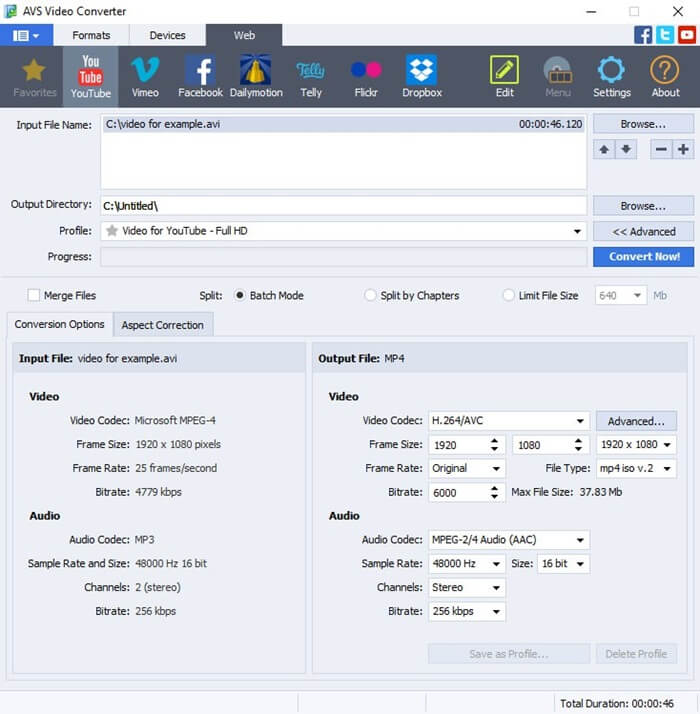
AVS Video Converter is among the best video encoder software and decoders, praised for its broad format support (it supports a wide range of codecs and containers, such as AVI, MP4, Blu-ray, WMV, VOB, 3GP, H.264, and H.265), hardware acceleration for enhanced encoding and decoding speed, and the following notable features.
Key features
- It supports bulk processing, allowing you to convert multiple videos in a single session.
- There are built-in video editing tools, such as merge, trim, split, and the application of effects to videos before converting them.
- AVS Video Converter offers pre-defined templates for quick and smooth conversion for devices such as iPad, iPhone, Android, and consoles.
Pros
- User-friendly interface
- Fast and easy encoding and decoding of videos
Cons
- Videos sometimes lag
- Extra cost for some tools
Click here to learn more about AVS Video Converter
2. HandBrake
HandBrake is one of the best software programs to encode videos if your priorities include video conversion. Primarily used to convert video files, this open-source software meets the needs of broadcasters well. It is equipped with tools such as chapter markers, video filters, and the following features.
Key features
- You can use this software to convert any video format, including those from mobile devices, encrypted DVD/Blu-ray sources, and cameras.
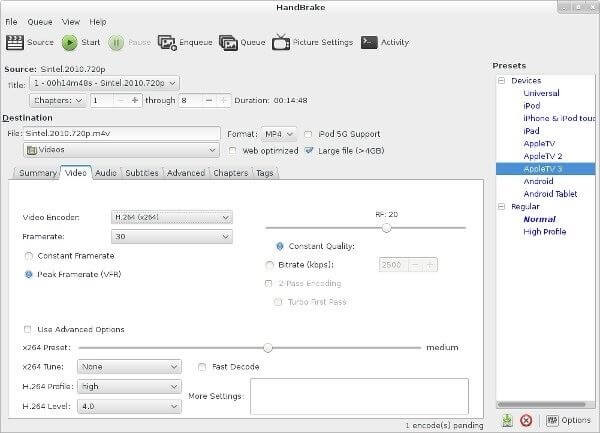
- HandBrake offers support for codecs such as H.264, H.265 (HEVC), AV1, and VP9.
- There is batch processing support, allowing you to queue up multiple video files for encoding.
- It offers pre-defined settings for specific platforms, devices, and quality requirements.
- There are built-in tools for video editing, such as cropping, resizing, deinterlacing, denoising, and color correction.
Pros
- High customizability
- User-friendly
- CFR and VFR support
Cons
- No option to combine video clips into a single clip
- Lags while working with long video clips
Click here to learn more about HandBrake
Alos know: Best Free AI Video Background Removal Tools to Use Online
3. NCH Prism
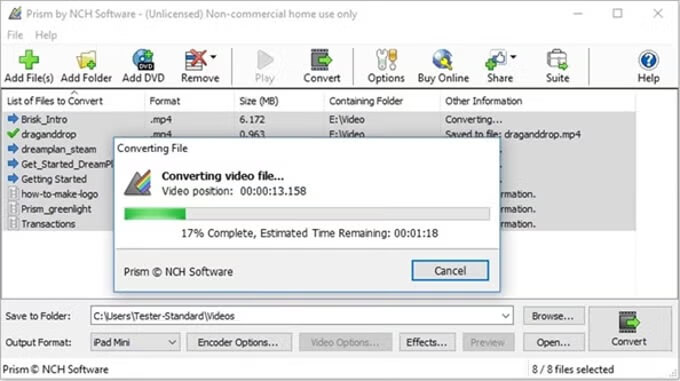
NCH Prism is another beginner-friendly video encoding and video decoding software. This versatile video converter and compressor handles many video formats, including AVI, MP4, MOV, and WMV. Moreover, it offers an option to process multiple video files simultaneously, basic editing tools (such as text overlays, watermarks, crop, flip, and rotate videos), and the following features.
Key features
- NCH Prism allows you to adjust resolution, encoder rates, and frame rates to ensure optimal quality.
- You can directly export to your gaming console, iPhone, Android, or iPad device.
Pros
- Fast and easy to use
- Customizable settings
- Free basic version
Cons
- No DVD burning
- Sound is sometimes out of sync
- Stabilization problems with video
Click here to learn more about NCH Prism
4. FFmpeg
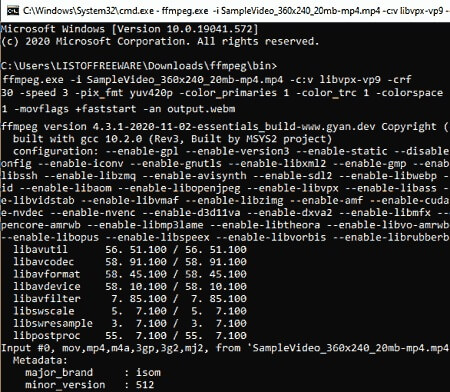
Next, we have FFmpeg on our list of the best video encoder software. It is a comprehensive video recording and conversion software that allows you to customize the video codec, stream, bit rate, and size, convert videos using quick and easy commands, and offers the following features.
Key features
- It supports a wide range of formats, including MOV, MP4, AVI, MKV, WebM, FLV, MPEG, and more, through codecs like H.265, H.264, AVI, AC3, VP9, and more.
- You can stream in any resolution and record streams locally.
- There are many built-in audio and video filters for complex transformations, such as resizing, color correction, cropping, noise reduction, and audio mixing.
- You can live stream to platforms such as YouTube or Twitch with protocols such as HLS, RTMP, and Dash.
- It offers hardware acceleration support for fast, intensive encoding and decoding, especially for high-resolution videos.
Pros
- Highly versatile with support for a wide variety of formats and codecs
- Precise control with the command-line interface
- Free and open-source
Cons
- Steep learning curve for beginners
- Intimidating and less intuitive interface
- High-resolution video processing can be resource-intensive
Click here to learn more about FFmpeg
Also know: Error Code 102630 (This Video File Cannot Be Played): Solved
5. DivX Converter
Let’s introduce you to the DivX Converter. It is a free video decoding and encoding software with impressive features, such as creation of DivX, AVI, MKV, and HEVC (H.265) files up to 4K resolution, pre-set profiles for HD, Home Theater, and 4K to ensure compatibility with gaming consoles, smart TVs, and mobile devices, and the following.
Key features
- The pro version includes B-Frames, custom encoding settings, Wavefront Parallel Processing, and Target Quantizer.
- It offers subtitle and audio support with passthrough of original audio, or addition of up to 8 audio tracks and subtitles.
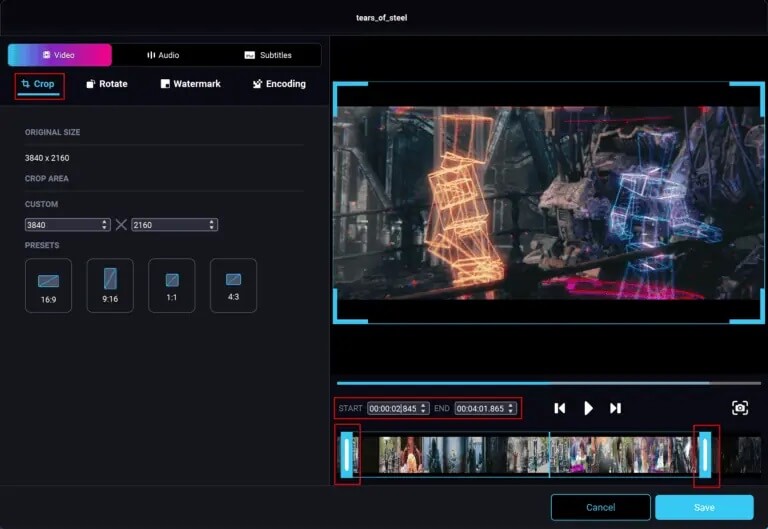
- DivX Converter offers basic video editing features, such as cropping, trimming, and rotation.
- You can directly import or export files from or to Dropbox (Pro) and Google Drive.
- With the pro version, you can back up non-encrypted DVDs into digital formats.
Pros
- Excellent quality/size ratio
- User-friendly with “drag and drop” design
- Uses GPU acceleration for faster encoding
- Supports batch processing of files
Cons
- Advanced features, such as specific plugins, need the pro version
- Slow performance in some situations
Click here to learn more about DivX Converter
That was all for the roundup of the best video encoding and video decoding software. We hope you find what you were looking for. However, if you have any questions or confusion about video encoders and decoders, you can write us a comment.
