

PDFs, or Portable Document Files, are secure and preserve formatting across platforms, making them a popular choice for sensitive documents. However, they can be challenging to navigate and edit without proper tools. The best PDF readers address these issues by enabling universal access, easy navigation, and features like annotations, e-signatures, form filling, and advanced management capabilities.
Moreover, the PDF viewers and readers in this article come in handy, whether you are a student who needs powerful annotation and summarization, business professionals needing document signing, form filing, and other advanced features, or simply someone who needs a fast, easy, and free application to view, print, and share PDF files.
We spent over 6 months researching and testing PDF viewers, keeping in mind the needs of various users, such as students and academics, business professionals and teams, and general or casual users.
You can choose one or more of these PDF readers, including Adobe Acrobat Reader, which stands out for its industry-standard reliability and robust PDF management features; PDF Reader Pro, noted for its comprehensive toolset and AI-powered functionalities; EaseUS PDF, ideal for its budget-friendly, all-in-one capabilities; DocHub, which excels with its Google Workspace integration and editing tools; and Kdan PDF Reader, distinguished by its lightweight design and advanced AI features. Select based on your specific requirements.
However, you can go through this quick guide on the features to look for to choose the right reader for your needs.
How to Choose the Best PDF Reader
To select the right software to read PDF on Windows, consider your needs and look for the following features.
- Essential viewing and navigation features, including zoom capabilities, search functionality, an option to open multiple PDFs in different tabs, and bookmarks and thumbnails for quickly moving through long documents.
- Annotation and collaboration features, such as highlighting and stamping to mark important text, comments, and text boxes to add notes, sticky notes, and typed text, form filling, e-signatures to add digital or handwritten signatures, and text-to-speech for accessibility and convenience.
- Editing and creation functions, including basic editing (text, links, and image editing and rotating/deleting pages), OCR (Optical Character Recognition) to make scanned text searchable and editable.
- Security and protection options, such as passwords for restricted access or editing.
- Seamless user experience with a simple and easy-to-use interface, fast loading, and smooth functioning.
Note: While a simple PDF reader lets you view, print, and sometimes fill PDF forms, the best PDF viewers also let you perform various editing functions for streamlined workflows and take complete control of your PDFs. For basic viewing, annotation, and form-filling, you can choose free PDF readers, which often support viewing, basic annotations, and filling forms. However, for advanced features like text editing, image manipulation, OCR capabilities, and extensive collaboration tools, a paid option is often required. We cover both in this article to help you choose based on your needs.
What Is the Best PDF Reader
The list of the best-paid and free PDF viewers and readers includes Adobe Acrobat Reader, PDF Reader Pro, EaseUS PDF, DocHub, and Kdan PDF Reader. These tools were selected based on our experience with them, their popularity, comprehensive features, and positive user reviews. Let’s review all these programs.
1. Adobe Acrobat Reader- Best for professionals and businesses needing complete PDF creation, editing, and management
Adobe Acrobat Reader, from Adobe, the creators of the PDF format, is an industry-standard in PDF viewing and editing. It is among the best free PDF readers for its reliable PDF viewing, signing, and annotation capabilities.
With Adobe Acrobat Reader, you can open all your PDFs, fill and e-sign your documents, and annotate your PDFs with highlights, comments, sticky notes, and strikethroughs. Additionally, it offers the following features, adding to its usefulness for various users.
Key features of Adobe Acrobat Reader
- You can share your PDFs with others for review and monitor the PDF activity.
- The paid version lets you edit text, images, and objects, convert files to PDF, make the scanned documents editable with OCR, reorder, delete, and merge PDF pages, and secure your PDF with a password.
Pros
- Intuitive interface
- Excellent collaboration features for feedback and approvals
- Cross-platform availability
- A dedicated PDF reading mode
- Highly secure and reliable
Cons
- Advanced tools like OCR and editing require a paid subscription
- Resource-heavy; can sometimes be slow
- Only a few reading themes are available
Price
Starts at $19.99/month, free version available
Click here to learn more about Adobe Acrobat Reader
Also know: Best Text Editor Software for Windows
2. PDF Reader Pro- Best for those needing an all-in-one PDF solution for reading, editing, annotating, converting, and securing documents
PDF Reader Pro stands out as the best PDF reader and among the top Adobe Acrobat alternatives for users who want advanced features, including AI-powered summarization, analysis, and translation, as well as OCR functionality.
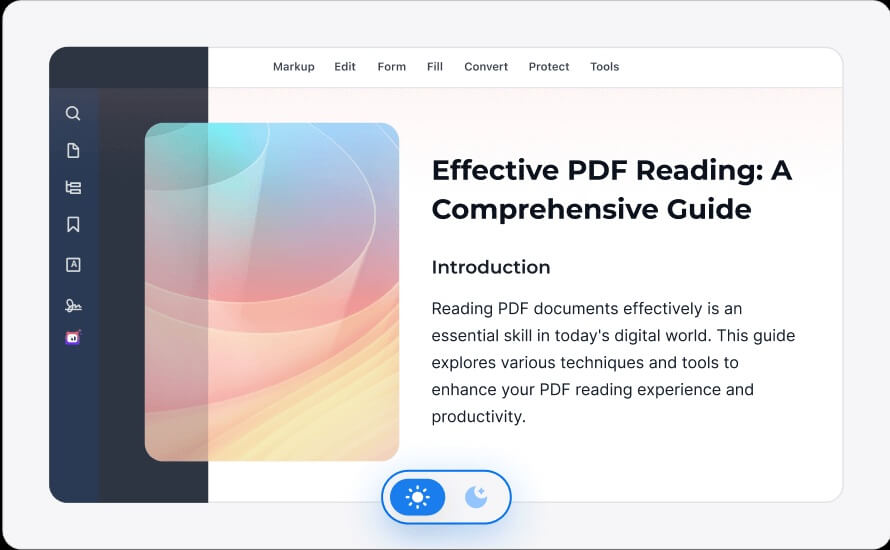
Additionally, PDF Reader Pro made it to the list of the best PDF viewers for Windows for its multiple viewing modes (including a toolbar-free reading mode, split view mode for easy comparison, slideshow mode with laser-pointer, reader mode, and more), customizable themes (such as a night mode, day mode, and eye-protection mode), and the following features.
Key features of PDF Reader Pro
- You can customize the reading settings, such as auto-scroll.
- It offers seamless navigation via bookmarks, thumbnails, search function, and outlines.
- PDF Reader Pro lets you annotate (underline, highlight, and comment), edit text/images, convert PDF to another format, merge/split, and sign PDFs.
- You can secure your PDFs with password encryption, watermarks, and redaction.
Pros
- Text-to-speech support in multiple languages
- Cross-platform availability
- Batch processing for efficient handling of multiple documents
Cons
- Ads and restricted features in the free version
- Occasional performance issues with very large or complex files
- Occasionally slow and unhelpful technical support
Price
$79.99/year, free version available
Click here to learn more about PDF Reader Pro
3. EaseUS PDF- Best for users needing an all-in-one, budget-friendly PDF reader
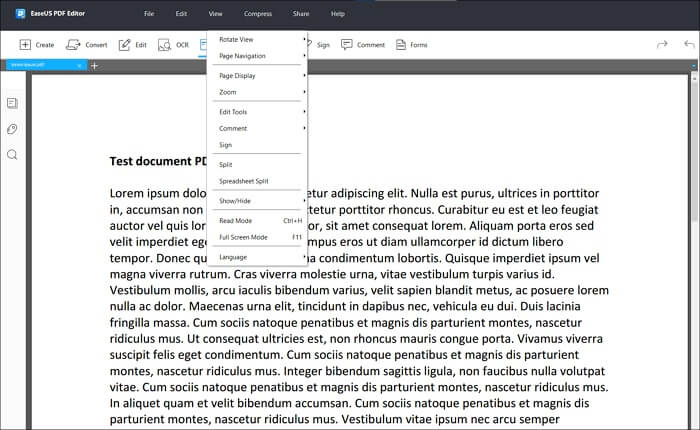
EaseUS PDF is among the best free PDF readers for Windows with a user-friendly interface, powerful editing and conversion features (including OCR for document scanning), and security options (such as password protection, watermarks, and digital signatures).
For those focused on reading, EaseUS PDF offers a dedicated mode to read e-books without straining your eyes and the following features.
Key features of EaseUS PDF
- It lets you rotate and zoom pages, adding to your reading comfort.
- With the “search and replace” feature, you can find and replace any term in the document easily.
- A suite of editing tools, allowing you to add, edit, and remove text/images in various formats, sizes, styles, and colors with a simple drag-and-drop tool.
- You can annotate PDFs (draw, add shapes, lines, highlights, and stamps) and insert callouts and comments for easy collaboration.
- It supports effortlessly replacing, splitting, extracting, and merging PDF documents.
- You can create, fill out, and sign forms.
- It lets you convert PDF to more than 10 file formats.
- The OCR feature recognizes text and converts images to editable PDFs.
- You can password-protect your files.
Pros
- Simple and beginner-friendly interface
- Fast and secure PDF reader
- Excellent PDF reading features
- Powerful OCR capabilities
Cons
- Lacks advanced formatting and collaboration tools
- No in-built AI assistant
Price
$29.95/month, free trial available
Click here to learn more about EaseUS PDF
4. DocHub- Best for individuals and small businesses needing a secure, simple, and integrated PDF reader for editing and eSignatures
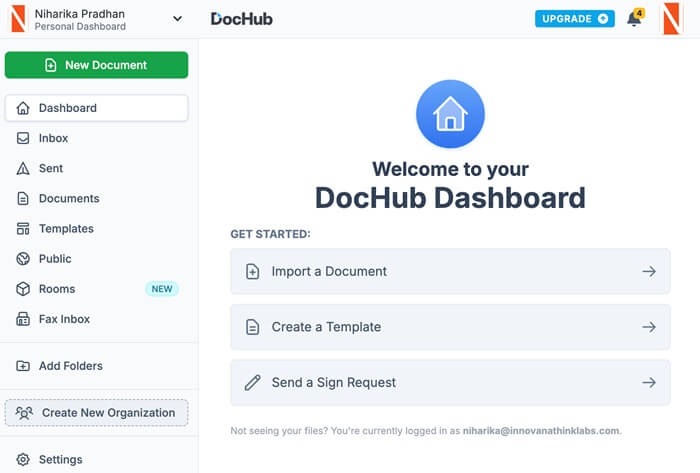
Next, we have DocHub on our list of the best free PDF readers. It is a cloud-based software to read, edit, sign, and manage PDFs. This tool, especially renowned for its powerful integration with Google Workspace (functions seamlessly with Google Drive, Chrome, and Docs), is great for editing PDFs, adding text/images, merging/splitting PDFs, and collecting eSignatures.
In addition to strong editing and signing functionality, DocHub offers reusable templates to create forms and documents, an AI assistant to navigate long documents, and the following features.
Key features of DocHub
- It secures your documents with end-to-end encryption, password protection, audit logs, and two-factor authentication.
- DocHub supports real-time collaboration with role and permissions management for shared documents.
Pros
- Simple and highly intuitive
- A plethora of document management tools
Cons
- Templating may feel clunky
- Email-only customer support; slow problem resolution
Price
Starts at $11/month, free version available
Click here to learn more about DocHub
5. Kdan PDF Reader- Best for students and professionals, businesses, and anyone interested in a lightweight PDF reader with strong editing features
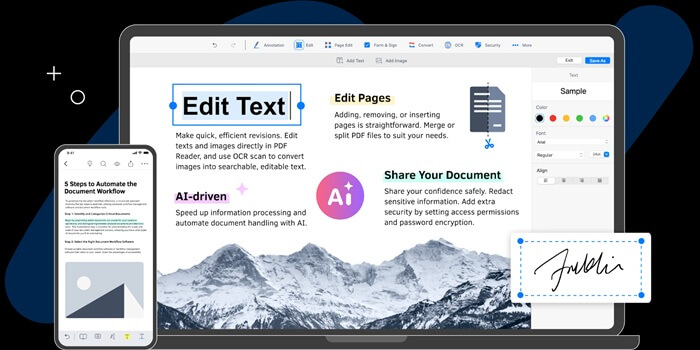
Kdan PDF Reader is among the best free PDF viewers for its versatility, user-friendly interface, powerful annotation and signing functionality (allowing you to highlight, add notes, comment, and digitally sign documents on the move), AI capabilities (the most notable being a “Chat with PDF” feature that summarizes, extracts data to spreadsheets, and redacts text), and the following features.
Key features of Kdan PDF Reader
- It offers multiple themes, including an eye-protection mode, day mode, and night mode.
- You can navigate your PDFs easily with thumbnails, outlines, bookmarks, and searching tools.
- It boasts cloud integration, allowing you to access and store PDF documents with integrated cloud storage.
- You can convert PDFs to MS Office formats, including Excel, Word, and PowerPoint (a premium feature).
- Kdan PDF Reader allows you to edit text, images, and layouts within your PDFs.
- You can password-protect your documents.
Pros
- Intuitive and user-friendly interface
- A wide selection of features, ranging from PDF reading to advanced editing and AI
- Cross-platform syncing of documents
Cons
- Many advanced features, such as AI and conversions, hide behind paywalls
- No dedicated mode for reading PDF documents
Price
Starts at $59.99/year, free version available
Click here to learn more about Kdan PDF Reader
Also know: Best Free PDF Editor for Windows 10, 11
With that, we have come to the end of our roundup of the best PDF readers for Windows (both free and paid). We hope this helps you find what you were looking for. For next steps, consider downloading free or trial versions of these PDF readers to test which one aligns best with your specific needs. If you’re unsure where to start, try out Adobe Acrobat Reader for its comprehensive features or EaseUS PDF for a budget-friendly option.
