

A lot happens on our computers, from online banking and shopping to chatting with loved ones. A center for most of our activities, the PC is like a window to our lives. If anyone gets access to your activities on the PC, they have peeked into your inner world. Keylogging is a simple way to spy on your activities and details, such as passwords and credit card numbers, unless you have a powerful keylogger detector to protect your data from hackers. The good news is that, with the right keylogger detectors, keyloggers can be detected and removed, making it possible to safeguard your privacy and information.
To explain simply, keylogging is a technique hackers use to capture your keystrokes to extract private information, such as your bank account details, credit card numbers, and passwords. An anti-keylogging software for Windows offers easy and reliable protection from keyloggers with sophisticated algorithms and features to help you detect and remove keyloggers from your computer.
Hence, this article compiles a thoroughly researched list and overview of the best software to detect keyloggers to protect your personal details from keylogging attempts. Let’s get started right away to save your valuable time.
What Are the Best Keylogger Detectors for Windows
The top-rated keylogger detector software includes programs like Ghostpress, SpyShelter, KL Detector, Zemana Anti Keylogger, and ESET Home Security Essential. Most tools featured here are designed to detect and protect against software keyloggers, which are malicious programs installed on your computer to monitor and record your keystrokes. Detecting hardware keyloggers, which are physical devices attached to your PC or keyboard, is much more complicated and often requires manual inspection of your computer’s ports and connectors. Below is a detailed overview of these programs focused on software keylogger detection.
1. Ghostpress
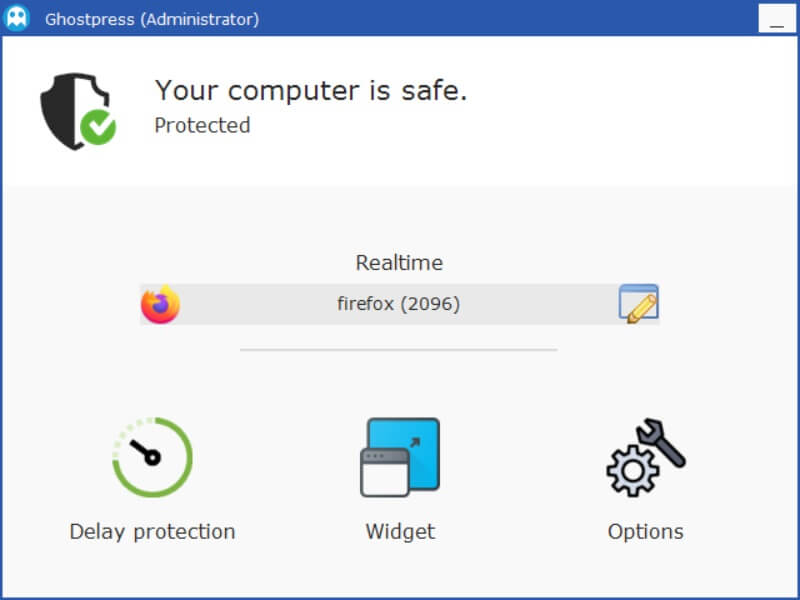
Ghostpress is among the most sought-after keylogger detectors. It protects users from various types of keyloggers by hiding keystrokes and manipulating them on a really minute level, making it impossible for keyloggers to capture them. Along with protecting your sensitive data, such as passwords and email addresses, from keylogging, Ghostpress protects your entire system, including all your programs. Furthermore, below are other features that make Ghostpress stand out from its competitors.
Key features
- The “Start with Windows” option starts keylogger detection automatically when you log in to your computer.
- There is a process protection option to prevent anyone other than the admin from stopping Ghostpress’s processing.
- The delay protection feature prevents typing style-based identification.
- You can whitelist the applications you do not want to be monitored for keylogging.
Pros
- User-friendly interface
- Highly customizable
- Updates automatically
- Many protection options
Cons
- User-friendly interface
- Highly customizable
- Updates automatically
- Many protection options
Click here to learn more about Ghostpress
Also know: Best Memory Testing Tools Like MemTest86 for Windows
2. SpyShelter
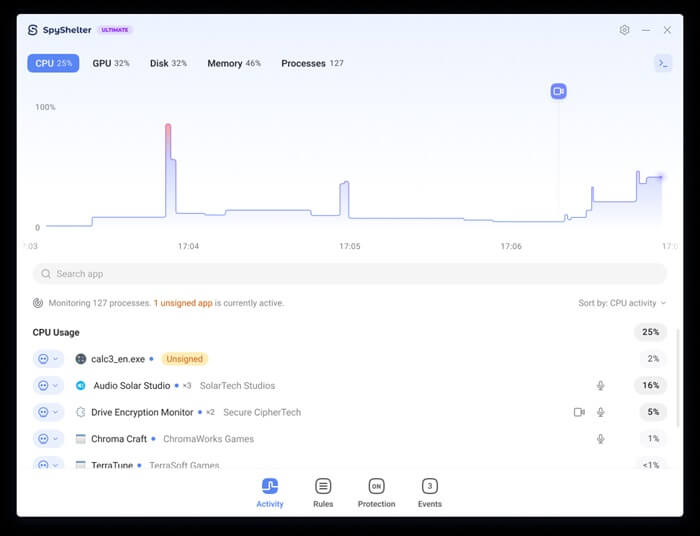
You can try SpyShelter if you want to download a keylogger detector with behavioral detection, real-time keystroke encryption, and protection from zero-day threats with Host Intrusion Prevention System (HIPS), which monitors for suspicious activities (for example, webcam and clipboard recording), in addition to the following features.
Key features
- Real-time threat protection, SpyShelter, prevents an executable from starting on your computer before it can even start.
- Screenshot protection setting to prevent spyware from recording your screen.
- It finds and eliminates resource hogs that slow down or crash your PC.
- You can control SpyShelter with Windows Terminal, deciding what processes can and cannot run on your computer.
Pros
- Compatibility with most anti-virus software and security programs
- Two-way firewall protection detects incoming and outgoing requests
- Secure processing algorithms that don’t impact the system performance
Cons
- Limited technical support in the free version
- Some advanced features hide behind a paywall
Click here to learn more about SpyShelter
3. KL Detector
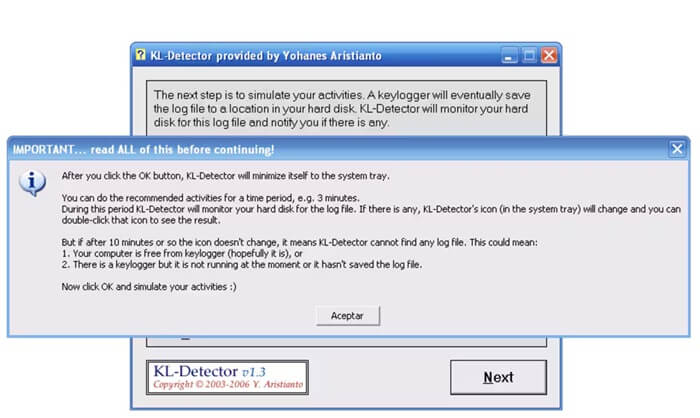
Next, we have the KL Detector on our list of the best software to detect keyloggers on Windows. It is a lightweight, specialized, and free software for Windows to detect hidden programs that record your keystrokes and remove detected threats. Below are its most notable features.
Key features
- Quick and deep keylogger scanning options.
- Detects both current and potential threats.
- Updates regularly to detect new keylogger signatures.
Pros
- Free and straightforward
- Minimal pressure on system resources
Cons
- No real-time protection from keylogging
- May not detect the most advanced keyloggers
Click here to learn more about KL Detector
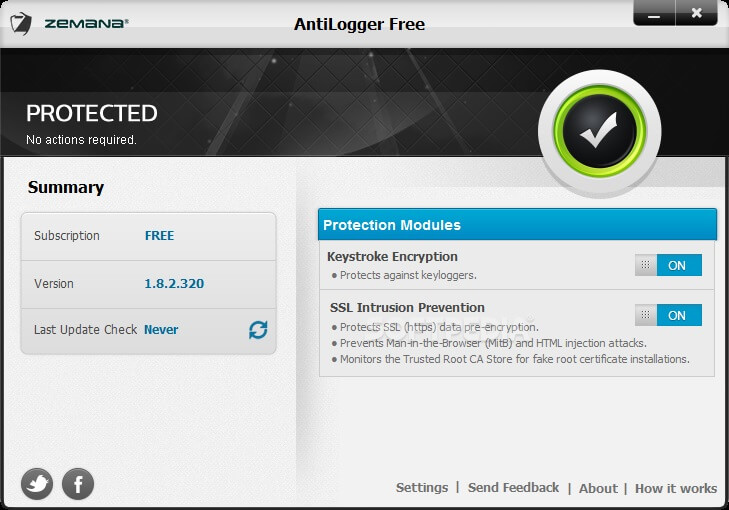
4. Zemana Anti Keylogger
Zemana Anti Keylogger is another way you can keep your data private by protecting your system from keyloggers. It offers top-grade protection from keylogging through advanced keystroke encryption, real-time threat detection and prevention, and the features below.
Key features
- It applies advanced keystroke encryption to protect from keylogging.
- Zemana Anti Keylogger functions in the background continuously to block keyloggers in real time.
- It uses Pandora Technology to analyze each unknown file in the cloud, offering zero-day malware protection.
- This software detects and removes browser add-ons, adware infections, unwanted applications, and suspicious toolbars.
Pros
- In addition to keylogging, protection from screen capture, webcam/microphone spying, and clipboard theft
- Protects from malware trying to steal data during banking or browsing
- Lightweight with minimal system impact
- Compatible with major antivirus software
Cons
- Full system scans can be slower than competitors
- Occasionally, flags legitimate programs
Click here to learn more about Zemana Anti Keylogger
Also know: Best Video Encoding and Decoding Software
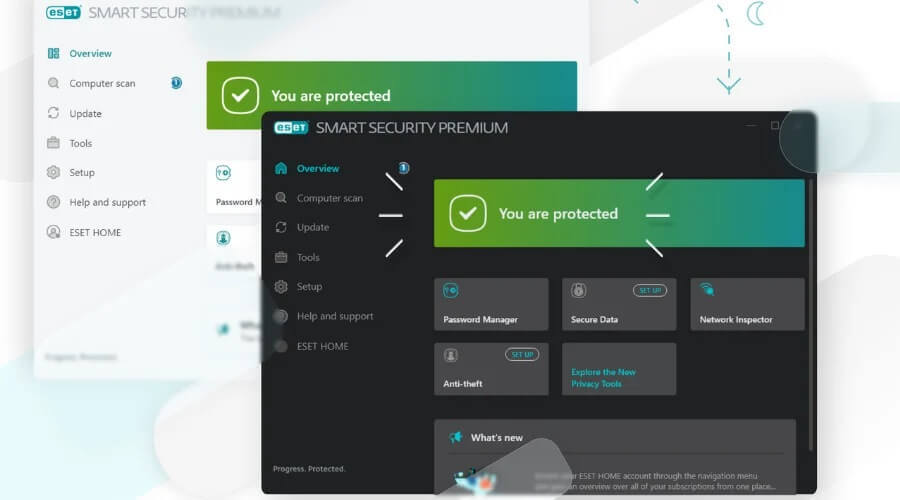
5. ESET Home Security Essential
ESET Home Security Essential is not only a keylogger detector but a complete package to protect your privacy. It offers high encryption to keep your details, such as banking or shopping information, private. Moreover, it ensures your total security with options like ransomware shielding to secure your personal data during online browsing, and the following features.
Key features
- Host Intrusion Prevention System (HIPS) monitors and blocks suspicious activities, such as attempts to install keyloggers or spyware.
- It monitors applications and prevents unauthorized access to your webcam.
- There is an anti-theft feature to track and find your computer if it is lost or stolen.
Pros
- Multi-platform security with a single license to protect your devices
- Multi-layered protection from ransomware or malware
- Minimum impact on system resources
- Easy installation and user-friendly interface
Cons
- Sometimes flags safe files
- No free version
Click here to learn more about ESET Home Security Essential
That concludes the best keylogger detection software. Hopefully, you will find the software you are looking for to keep your personal information safe. However, if you think some other software also deserves a spot in this article or have any related questions, feel free to leave a comment.
Frequently Asked Questions
Q1. What is a keylogger?
A keylogger is a software that covertly records whatever you type on the keyboard. For example, it records every letter you type when you enter your username and password to log in to your online banking account. Hence, keyloggers can steal passwords, record private messages, capture credit card information, monitor browsing activity, and keep tabs on work-from-home employees.
Q2. What is a keylogger detector?
A keylogger detection software is a specialized program designed to identify keystroke monitoring behavior on your computer.
Q3. Can Windows detect keyloggers?
Windows can detect keyloggers through Microsoft Defender Antivirus, which uses machine learning and cloud-based intelligence to protect your system from threats. However, sophisticated keyloggers may sometimes bypass detection, making it necessary to use a reliable and one of the best keylogger detectors.
Q4. How can I know if I have a keylogger?
To identify the presence of a keylogger on your device, look for the following signs.
- Sudden device performance changes, such as the device performing slowly, lagging, or unusual resource usage.
- Unfamiliar processes with unusual or random names running in Task Manager.
- Any unfamiliar or suspicious software installed on your computer.
- Unusual network activity; a lot of data is being sent to unknown destinations.
- Unfamiliar devices are attached to your computer, such as connectors or USB dongles you know nothing about.
- Presence of unfamiliar startup items.
- The firewall alerts you if a keylogger is sending data to any external server.
- Unusual behavior, such as frequent freezing, crashes, or pop-up ads.
Q5. How to remove a keylogger if I find one?
To remove a keylogger from your computer, follow the steps below.
- Click Restart on your computer while holding down the Shift key.
- Go to Troubleshoot, Advanced Options, and then choose Startup Settings.
- Scan your computer for malware using one of the best anti-malware software.
- Check the installed programs on your computer and uninstall suspicious ones.
- Review browser extensions and remove unfamiliar ones.
- Delete your browser cache and cookies.
Q6. How to prevent keyloggers from coming back?
To keep yourself protected from keylogging:
- Ensure you have one of the best anti-malware and antivirus software installed.
- Regularly update all your applications, operating system, and security software.
- Do not download files or click on links from unknown or suspicious sources.
- Use a virtual keyboard for sensitive tasks, such as entering bank details or passwords.
- Scan your computer for malware regularly to detect and remove potential threats.
