

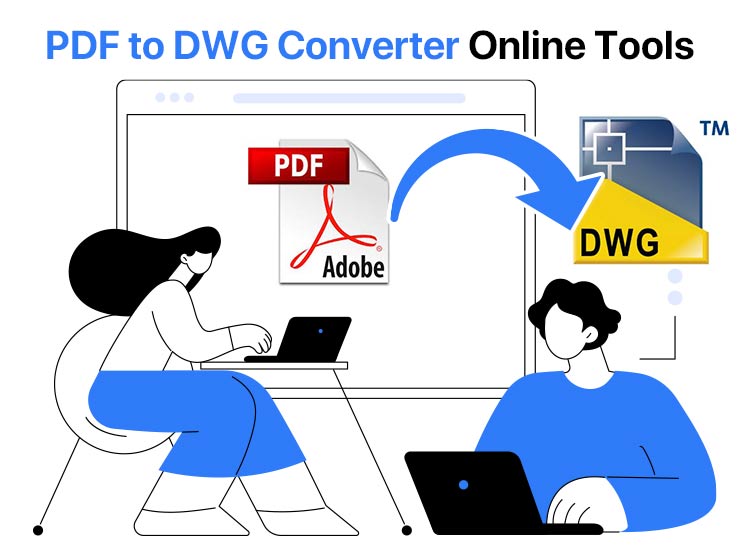
PDF, despite being one of the most secure file formats, is not easily editable, unlike a DWG file. DWG files (AutoCAD Drawings) can also more conveniently store two-dimensional (2D) and three-dimensional (3D) drawings, metadata, and model data. However, you need a PDF to DWG converter to convert a PDF to a DWG.
One typical challenge faced during PDF-to-DWG conversion is the potential loss of layers or vector data, which can result in additional work for professionals to restore the original file’s complexity and details. Understanding these challenges can help set more realistic expectations for the outcome of the conversion process.
A PDF to AutoCAD converter is an online software that allows you to convert your PDF file into an editable AutoCAD file effortlessly.
To help you choose the right tool, this article presents a well-researched list of the best PDF to CAD converters. Each selection is based on a thorough analysis of factors such as accuracy and vectorization, OCR (Optical Character Recognition), batch conversion, layer management, scale and units control, AutoCAD compatibility, the ability to work without AutoCAD, raster/vector handling, and user interface.
For each of these factors, we applied specific evaluation criteria and weights to ensure a balanced assessment. Accuracy and vectorization were prioritized for their critical role in maintaining design integrity, while user interface and batch conversion were judged on ease of use and efficiency. We ensured that every factor was evaluated with precision to provide you with trusted recommendations. Let’s explore these options to help you save valuable time.
What Are the Best PDF to DWG Converters
The following is our list of the best online PDF to DWG converter software, including AutoDWG, AnyDWG, AideCAD, and other well-deserving names.
1. AutoDWG
Meet AutoDWG. It is among the best PDF to DWG converters, renowned for its speed and accuracy. In addition to ease of use, it delights users with batch processing, watermarking, and the following notable features.
Imagine a busy architecture firm needing to convert detailed architectural plans from PDF to DWG rapidly and without losing quality. AutoDWG excels in such scenarios by maintaining the integrity of complex designs, conserving both layers and vector data while allowing architects to make immediate edits to their plans.
Key features of AutoDWG
- It supports password protection and layout control for your files.
- AutoDWG supports both DWG and DXF outputs.

Click here to learn more about AutoDWG
Also know: Best XLSX Viewer for Windows to View and Open XLSX Files
2. AnyDWG
Next, we have AnyDWG among the best PDF to AutoCAD converters. This fast and efficient software stands out for its multi-page conversions, batch conversion, one-click conversion of the whole PDF document, and the following features.
Key features of AnyDWG
- You do not need AutoCAD software to convert files with AnyDWG.
- It allows you to customize the PDF size, quality, pen widths, and metadata.
- AnyDWG supports many DWG/DXF versions, ranging from old to newer.
- It supports vector generation based on your original PDF, while recognizing the document line widths and retaining original colors.

Click here to learn more about AnyDWG
3. AideCAD
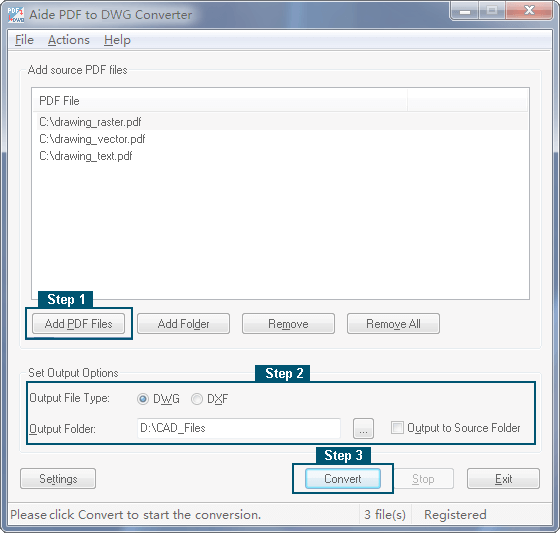
Available for all Windows versions, AideCAD is the next PDF to CAD converter on this list. With this fast and user-friendly converter, you can batch convert multiple PDF files at once, extract and precisely convert embedded pictures from PDFs, and enjoy these remarkable features.
Key features of AideCAD
- It does not need Adobe Acrobat or AutoCAD to perform the conversion.
- AideCAD supports both DWG and DXF outputs.
- This software allows you to convert all pages in each PDF file.
- You can customize the output scale, line weight, and color.
Click here to learn more about AideCAD
4. Zamzar
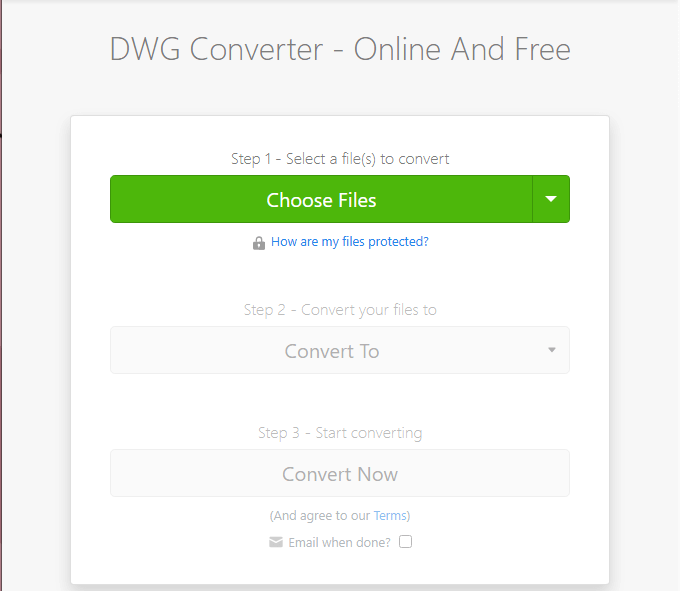
Let’s introduce you to Zamzar. It is another PDF to DWG converter that allows you to convert from PDF to multiple CAD files, including DFX and DWG. In addition to converting files to DWG, this software also lets you convert files from DWG to PDF. Moreover, the following are some other remarkable features of Zamzar.
Key features of Zamzar
- In addition to DWG, Zamzar is an extraordinary conversion and compression tool for audio, video, images, documents, and other categories.
- It offers excellent, timely support for complex conversions.
Click here to learn more about Zamzar
5. Convert PDF to AutoCAD
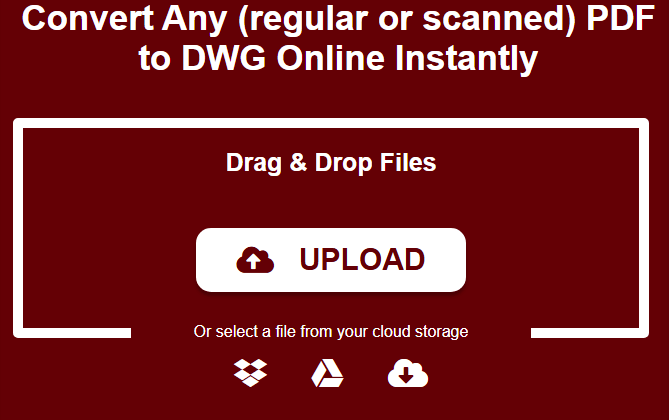
The list of the best PDF to CAD converters cannot be complete without Convert PDF to AutoCAD. It is free software to convert any PDF to DWG online within minutes. You can simply drag and drop or upload your files into this converter for easy conversion. Below are its most prominent features.
Key features of Convert PDF to AutoCAD
- It supports OCR technology, allowing you to convert scanned PDFs to DWG.
- There are no size restrictions, letting you convert PDFs of all sizes to DWG.
Click here to learn more about Convert PDF to AutoCAD
Also know: Best Free PDF to JPG Converter to Use Online
Best PDF to DWG Converters: The Conclusion
We’ve reached the end of our curated selection of the best PDF to AutoCAD converters. As you review the features of each option, consider your professional needs to make a decision that optimally supports your workflow.
For large projects requiring efficiency, tools like AutoDWG and AnyDWG offer batch processing capabilities that can save significant time. If you often work with scanned documents, selecting a converter with OCR capabilities, such as Convert PDF to AutoCAD, might be most beneficial. This tailored approach will help ensure you choose the tool that best suits your specific use case, making your work more efficient and effective.
If you have related questions or want to share your feedback, feel free to use the comments section. Your input is valued and helps us improve. We hope you found this guide useful, and we invite you to stay connected with us for more practical software tips and technology guides.

