

As cyber threats keep changing and becoming more dangerous, safeguarding confidential information has become a major concern for companies. Depending solely on passwords just doesn’t provide sufficient protection when it comes to keeping systems safe from unauthorized access.
This is where the Multi-Factor Authentication (MFA) comes into play!
Multi-factor authentication (MFA) is no longer an option in today’s rapidly changing digital landscape. The threat landscape is constantly changing, and the average cost of a data breach has increased to $4.4 million in 2025, according to IBM, and compromised user credentials are now the main reason for enterprise security breaches.
However, the good news is that implementing Multi-Factor Authentication (MFA) can reduce the risk of account compromise by nearly 99%, making it an essential part of your cybersecurity strategy.
By adding extra layers of verification to the login process, Multi-Factor Authentication (MFA) provides a powerful solution that makes it much harder for attackers to compromise systems.
Want to know more? Let’s dive in and explore everything about Multi-Factor Authentication (MFA), its common types, and its examples to better understand how this security works.
What is Multi-Factor Authentication?
Multi-factor authentication (MFA) is a highly effective security system that requires more than one method of authentication when logging in or conducting transactions. Instead of just relying on a single password, MFA combines different types of credentials to keep your accounts safe.
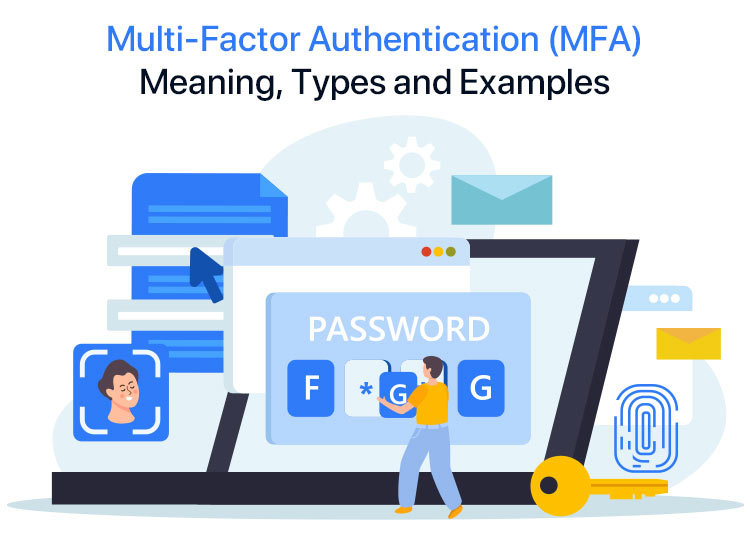
It usually involves at least two of these elements: something you know (like your password), something you have (such as a security token), and something you are (like your fingerprint).
With cyber threats getting more advanced, using just a password is becoming less safe. Passwords can be easily stolen through techniques like phishing or brute force attacks.
MFA adds extra layers of protection, making it much harder for unauthorized users to gain access. Even if one method is compromised, the chances are small that someone would have all the other requirements to get in.
One of the great things about MFA is that it can be flexible!
For example, accessing less sensitive data might only require one authentication method, while sensitive information could involve more verification steps. This improves security while also making things simpler for users by removing needless obstacles for low-risk activities.
Types of Multi-Factor Authentication
Multi-factor authentication (MFA) is like having extra layers of security to keep your accounts safe, and it comes in different forms depending on how many factors you need to verify your identity.
The most popular types of Multi-factor authentication are 2FA (two-factor authentication), 3FA (three-factor authentication), and 4FA (four-factor authentication). Let’s discuss them here:
1. Two-Factor Authentication (2FA):
This is the most popular way to enhance your account’s security. With 2FA, you provide two different ways to prove who you are and what your identity is. Usually, this means entering your password and then confirming your identity with something else, like a security token or a fingerprint scan. This extra step helps keep unauthorized users out!
2. Three-Factor Authentication (3FA)
If you want to take it a step further, three-factor authentication (3FA) requires three different types of identification. You’ll need to enter your password, a physical object (such as a security token), and a biometric factor (such as your fingerprint). This provides an even stronger level of security, making it much more difficult for anyone else to get into your accounts.
3. Four-Factor Authentication (4FA)
Four-factor authentication (4FA) is the best option for individuals seeking the highest level of security! This approach requires four different forms of authentication: location-based, biometric, physical, and password-based. That last one means you need to be in a specific place to access your account. With all these layers, it’s almost impossible for unauthorized users to break into your sensitive data!
Also know: Fixed: “Your Device is Missing Important Security and Quality Fixes” Error
What Is the Process of Multi-Factor Authentication?
The idea behind multi-factor authentication is that before a user can access a system or application, they must provide multiple forms of authentication. Three factors are usually used in the authentication process: the user’s knowledge, possessions, and identity. Each factor offers an additional layer of security and represents a distinct method of authentication.
Let’s break down the three factors of authentication!
- First up is something you know, like a password, PIN, or the answer to a security question. This is usually your first line of defense and something only you should know.
- Next, we have something you have, such as your mobile device, a smart card, or a security token. This feature ensures that you have a physical item with you to access your accounts in addition to knowing your password, adding an additional layer of security.
- Finally, there is something you are that relates to your distinct biometric information, such as voice recognition, facial recognition, or fingerprints. This type of authentication is becoming more popular, particularly among smartphones equipped with these features. It’s extremely secure because it’s very difficult to duplicate!
To protect your account, you must supply at least two of these methods when using a system or application that uses multi-factor authentication (MFA). For instance, you may log in using your password and fingerprint scan.
This way, you get the best protection for your personal information!
Examples of Multi-Factor Authentication
Multi-factor authentication (MFA) improves security by requiring users to provide multiple forms of verification before being granted access to an account or system. Here are a few examples of how MFA is applied:
1. Using an ATM:
To use an ATM, you need to first insert your bank card. Then, enter your Personal Identification Number (PIN) to confirm your transaction. The card is something you have, and the PIN is something you know. This process helps keep your account safe.
2. Logging into a bank account:
When it comes to keeping your bank account safe, multi-factor authentication is a great way to add an extra layer of security! Here’s how it works:
- Username and Password: This is the first step where you enter your unique username and your password so you can log into your account.
- One-Time Password (OTP): After entering your username and password, you’ll receive a temporary code via SMS or email. This is something you have to enter as a second step to ensure it’s really you!
- Biometric Authentication: Besides your username and password, you can also use your fingerprint, face, or voice to verify who you are. This is a great way to use something you have for added security!
- Hardware Token: Some banks even provide special physical tokens that generate unique codes just for you. You’ll use these codes as an extra step in the login process, giving you peace of mind that your account is safe!
These methods work together to keep your banking experience secure and hassle-free!
3. When Using a Credit Card Online:
- Card Details and CVV: When you’re shopping online, you’ll need to provide your credit card number, along with the expiration date and the Card Verification Value (CVV) code, which is usually a three-digit number found on the back of your card. This helps keep your transaction secure!
- One-Time Password (OTP): To add an extra layer of safety, some credit card companies send you a One-Time Password (OTP) to your registered mobile phone or email. You’ll need to enter this code while completing your purchase online. It’s a simple way to help protect your financial information!
4. Work or business accounts:
- Username and Password: When employees log into their work accounts, they use a username along with a password.
- Security Token or Smart Card: In some companies, employees receive a handy security token or smart card that generates a unique code or works with a card reader as an extra layer of security.
Also know: Easy Ways to Adjust Your Privacy and Security Settings in Microsoft Edge
Benefits of Multi-Factor Authentication
Now, let’s discuss why implementing multi-factor authentication (MFA) is such a great idea!
Well, it brings a bunch of benefits like better security, reduced chances of data breaches, and keeping up with industry regulations. Here’s a closer look at each of these advantages:
1. Enhanced Security
MFA adds an extra layer of protection to keep unauthorized users out of your accounts. Instead of just entering a password, you’ll also need to provide another piece of information, like a code sent to your phone or your fingerprint. This extra step makes it really tough for cyber attackers to access your sensitive information, even if they get hold of your login details.
2. Reduced Risk of Data Breaches
Data breaches can be a nightmare for any business, resulting in lost revenue, damage to reputation, and even legal issues. By using multi-factor authentication, organizations can significantly reduce the risk of these breaches. It makes it even more difficult for hackers to steal sensitive information, giving businesses greater peace of mind.
3. Compliance with Regulations
Certain industries, like healthcare and finance, have strict rules about protecting data. MFA helps organizations stay compliant by adding that crucial extra layer of security. In fact, in some cases, using MFA isn’t just a good idea—it’s required by law to safeguard sensitive information.
4. Improved User Experience
MFA can actually make your life easier! Gone are the days of juggling complicated passwords. With features like voice recognition, facial recognition, and fingerprint scanning, logging in can be simple and quick without compromising the security of your data. It’s all about finding the right balance between convenience and safety!
Final Takeaway
Multi-Factor Authentication (MFA) is essential for protecting sensitive information from unauthorized access. By requiring multiple forms of verification, MFA reduces the risk of account compromise and enhances security against cyber threats. Implementing strong authentication methods like 2FA, 3FA, or 4FA boosts security and builds user trust.
So, prioritize your cybersecurity by adopting MFA to safeguard your valuable data.

