

Cloud storage services are such a savior. Who could have imagined storing photos without compromising device storage, accessing documents anytime from anywhere, and collaborating with teams seamlessly if there were no cloud solutions?
Luckily, cloud storage is here for easy access anywhere, effortless collaboration, seamless data backup and recovery, disaster recovery to protect data from physical disasters, and scalable (pay-as-you-go) and cost-effective data storage.
In this article, we, a team of cloud enthusiasts, share a list of the best cloud storage services, including Google Drive, Microsoft OneDrive, iDrive, Dropbox, and ProtonDrive, curated after months of thorough research.
Before we delve into discussing how we selected these cloud storage services, let’s first clarify the basic concept of cloud storage and its importance. Understanding the fundamentals will help explain why services like Google Drive, OneDrive, iDrive, and others are essential for personal users and businesses. These services offer value, ease of use, integration, and security, which are crucial for managing growing digital files and workflows efficiently.
What Is Cloud Storage and How Does It Work
Simply put, cloud storage is saving data on the internet instead of storing it on your computer or hard drive. You can store files, such as images, documents, backups, videos, and more, on remote servers managed by third-party cloud providers.
How does it work?
Let’s answer this question next.
How cloud storage works
Cloud storage allows you to store, manage, and access your data over the internet through a simple process that begins with uploading your data to a cloud website or application (such as Google Drive, OneDrive, or iDrive).
Once you upload the data, the cloud storage service provider’s system then divides it into smaller chunks and encrypts it. It then saves your data in huge data centers that keep multiple copies of your files in various locations to keep them safe.
This cloud storage can be of three main types.
What are the types of cloud storage
The three primary types of cloud storage are private cloud storage, public cloud storage, and hybrid cloud storage. A private cloud stores data in a private server, such as a server owned, operated, and managed by your business, providing complete control over data.
For instance, a company may use its private cloud to securely store sensitive employee information. Public cloud storage involves data being stored in a server set up by a third-party service provider, like Google Drive or Dropbox, which allows easy access to files from any internet-connected device.
This makes Google Drive an excellent example of a public cloud, as it enables users to access and share their files easily.
Hybrid cloud storage combines both private and public cloud aspects, allowing businesses to decide which data to keep private and which to share publicly. An example of this could be an organization that stores confidential documents in its private cloud, while using public cloud services for collaborative projects.
In this article, we list and review the best public cloud storage services ideal for individual users, startups, businesses, and anyone who wants to save money on storage, keep files safe from hackers and malware, access files from any device, at any time, and from anywhere.
How We Selected the Best Cloud Storage Services
To select the best cloud storage solutions for this article, we first researched the most necessary features that users may find helpful, for example, security features such as end-to-end encryption and multi-factor authentication.
After listing all the essential features, we objectively compared all applications to narrow down our research. We then spent more time researching popular apps, going through user community sites, user reviews, and other respected sites in the field to make the final list of the apps to test.
We then thoroughly tested each service based on the essential features we noted in the beginning, like a regular user (trying out various features and contacting customer support/other help resources if we run into problems).
After completing the test, we selected the best cloud storage providers and wrote our reviews with their unique features, pros, cons, and pricing to help you make an informed decision.
Here is a quick overview of how you can choose what’s best for you and the key features to focus on.
Key features to look for in a cloud storage service
Before looking for features, assess your needs. Different users may need different features, depending on their requirements. For example, personal users may need simple sync, while business users may require powerful security and compliance.
Once you know what you need a cloud storage for, estimate your current and future storage needs, and consider the ecosystem you operate in, i.e., whether you are an Apple, Microsoft, or Google user. In this context, the ‘ecosystem’ refers to the compatibility of the cloud service with your devices and its ability to integrate with other apps and services you frequently use.
For example, Google Drive works seamlessly with Android devices and Google Workspace apps, while Microsoft OneDrive offers smooth integration with Windows and Office applications.
Then, note the following features that you should consider in cloud storage.
- Security and privacy features, such as end-to-end encryption and multi-factor authentication.
- Accessibility and performance tools, such as cross-platform sync, broad network access, and quick uploads, easy downloads, and seamless file access.
- Collaboration and productivity features, such as real-time editing, easy sharing, and integration with other services.
- Management and reliability-focused features, such as easily upgradable storage, automated backups, redundancy, and automatic recovery from data loss.
- User-friendly interface and good, responsive customer support.
With all that in mind, let’s review the best cloud storage services to help you choose the service or services that fit your needs.
What Are the Best Cloud Storage Services
The best cloud storage services include Google Drive for Google users and small businesses, Microsoft OneDrive for Microsoft 365 and Windows users, iDrive for all-in-one storage and office apps, Dropbox for remote teams, and ProtonDrive for complete online privacy. Let’s now review them in detail.
1. Google Drive
Used by millions of users worldwide, Google Drive is among the best cloud storage services for its generous 15GB of free storage, user-friendliness, powerful real-time collaboration, and multi-device access, which makes it an excellent choice for both individual users and teams. Here are its notable features.
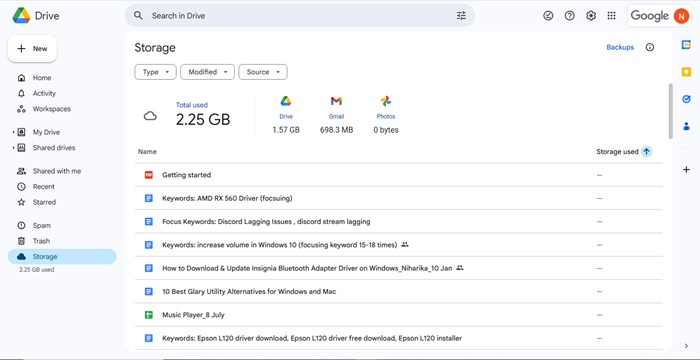
Key features of Google Drive
- Google Drive lets you access files from anywhere and also offers local mirroring (saving files locally on both your computer and the cloud) or streaming (requires you to be online to view your files).
- You can edit, comment on, and share files with granular permissions in real-time for easy collaboration.
- There is a robust search feature with advanced filters, such as search by file type, owner, and description.
- Google Drive offers powerful SSL encryption to keep your files secure.
- There is OCR (Optical Character Recognition) for PDF files and a built-in mobile scanner.
Pros
- Excellent user interface
- Powerful data backup and recovery from Trash
- Compatible with various devices
- A plethora of third-party integrations
Cons
- No default end-to-end encryption
- Password protection for shared files is unavailable
- Privacy concern, as Google may browse the content in your Google Drive
Price
15 GB free storage. Basic plan starts at $1.99/month for 100 GB, $3.99/month for 200 GB, $14/month for 2 TB, and $22/month for 5 TB.
Also know: Advantages and Risks of Cloud Computing
2. Microsoft OneDrive
Microsoft OneDrive is one of the best cloud storage solutions for those looking for seamless Windows/Office integration, security features, such as a personal vault, and AI features, such as integration with Microsoft Copilot and Designer (for M365, i.e., Microsoft 365, subscribers). The following are its other noteworthy features.
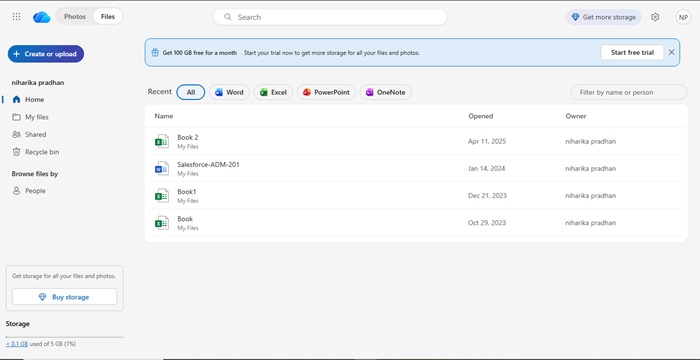
Key features of Microsoft OneDrive
- As a part of Microsoft’s productivity suite, OneDrive works smoothly with programs such as Excel, Word, and PowerPoint for real-time co-authoring.
- You can share files for collaborative editing through links with password protection and expiry dates.
- It offers ransomware protection, encryption in transit, and advanced security features for M365 subscribers.
- It supports online photo presentation and management.
Pros
- Strong performance with good upload and download speeds
- Smooth Windows integration
- User-friendly
Cons
- A lot of the new features are only for organizations
- No end-to-end encryption
- Collaboration tools may feel a bit clunky
Price
5 GB of cloud storage is free. The basic plan with 100 GB of storage starts at $19.99/year, 1 TB storage at $99.99/year, and 6 TB storage at $129.99/year.
3. iDrive
iDrive is one of the best cloud storages to back up unlimited devices to one account. You can use this service to perform multi-device backup, i.e., backup all your PCs, iPhones, Macs, Android devices, iPads, and even Network-Attached Storage (NAS) devices to a single account. Moreover, it offers a true backup, i.e., files deleted locally are not removed automatically unless you delete them using the “Archive Cleanup” feature, and boasts the following features.
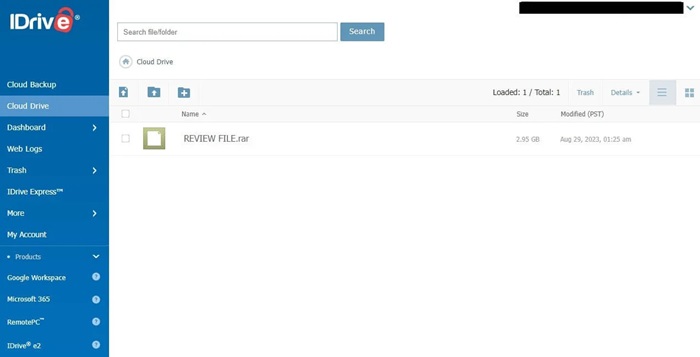
Key features of iDrive
- There is a snapshots feature, allowing you to save up to 30 historical versions of your files, which do not affect your total storage limit.
- It lets you back up files to the cloud as well as to local external storage.
- With iDrive Express, you can use a physical hard drive to quickly transfer data for large initial backups or major data restores, bypassing the internal bandwidth restrictions.
- It protects your data with AES 256-bit encryption during storage and transfer, with an option to ensure maximum privacy with an end-to-end encryption key (doing so disables file sharing).
- The “cloud drive” folder lets you sync files across all linked devices in real-time.
- You can share files via email links with download limits and password protection.
- With business and team plans, you can back up various servers, such as MS SQL, Oracle, and Exchange.
Pros
- Supports Google Workspace and Microsoft 365 data backups
- Allows creating, editing, and sharing PDFs, Word, Excel, and PowerPoint files without a Microsoft 365 subscription
- A comprehensive automatic backup solution for devices and other cloud storage services
- Highly responsive and helpful customer support
Cons
- Slow backup speed and somewhat sluggish web interface
- Complete disk image backup available only for Windows
- Space can fill up quickly unless you regularly clean deleted files with Archive Cleanup
Price
10 GB of storage is free. The paid plans start with $9.95/month for 5TB and $99.95/month for 100 TB.
4. Dropbox
Dropbox is the best cloud storage for remote teams due to its strong collaboration tools, such as real-time editing and commenting with Dropbox Paper and integrations with Office and Google Workspace.
Moreover, this pioneer cloud storage service, with over 18 million paying users, helps you free up local space with automatic and reliable syncing across all your devices, offers automatic file backup and file version history for easy recovery (up to 180 days on paid plans), and boasts the following features.
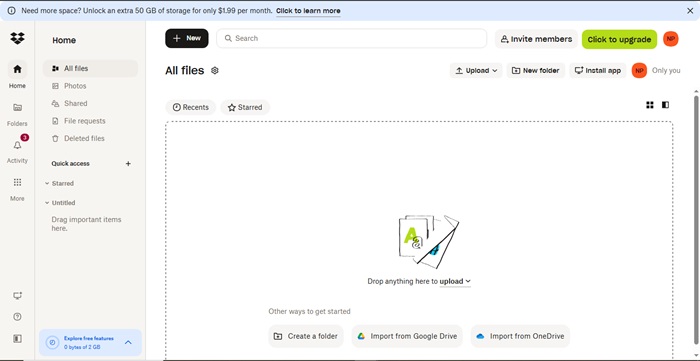
Key features of Dropbox
- You can share files easily through links or folders, with password protection and expiry dates (on paid plans).
- It ensures data security through AES 256-bit encryption, two-factor authentication, and end-to-end encryption, in addition to compliance with HIPAA and GDPR (data privacy laws to protect personal information).
- Dropbox’s AI-powered Reclaim.ai scheduler lets you schedule meetings, tasks, and optimize your calendar.
- The smart meeting feature automatically detects the best meeting time across various attendees’ schedules for internal team meetings.
Pros
- Seamless integration with third-party apps, such as Slack and ChatGPT
- Clean and user-friendly interface
- Many productivity tools, such as Paper and e-signature in Dropbox Business
- Works without an internet connection
- Fast upload speed
Cons
- Free storage is much less than rivals
- Expensive paid plans
- No end-to-end encryption and zero-knowledge encryption for individual users
- Resource-heavy; consumes more system resources than other cloud storage services
Price
2 GB of storage is free. 2 TB storage is available for $11.99/month, and 3 TB for $19.99/month.
Also know: Best Free VPN Extensions for Chrome Browser
5. ProtonDrive
Proton Drive is a Swiss-based (the country known for its strict privacy laws) cloud storage designed for privacy-focused users. It is renowned for its strong end-to-end encryption, zero-access (Proton cannot access your files), secure file sharing with password-protected and expiring links, and the following features.
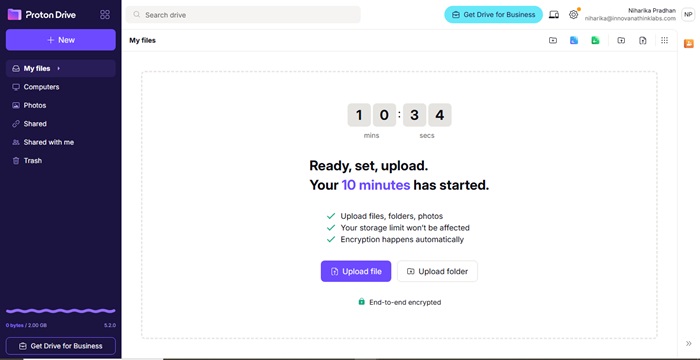
Key features of ProtonDrive
- It offers seamless integration with the Proton ecosystem, i.e., Proton VPN, Mail, and Pass for a unified experience.
- There is a basic online editor for documents.
- It automatically backs up and organizes your photos into secure albums.
- Proton ensures your documents are always completely private and never shared with AI models.
Pros
- Cross-platform availability
- Clean and intuitive interface
- Works even without an internet connection (on your mobile)
Cons
- Slow upload and download speeds and sync times compared to services such as Google Drive
- No real-time collaboration features like those available on mainstream services like Google Drive, Microsoft OneDrive, or Dropbox
Price
5 GB of storage is free. You get 200 GB of storage space for $4.99/month, 500 GB for $12.99/month, and 2 TB for $19.99/month. Being a privacy-focused cloud storage service, Proton even allows you to pay the company by sending cash via the mail to protect your identity.
That’s a wrap for the best cloud storage services. We hope this article will help you choose the right cloud storage for your personal or business needs. If confused, begin with the free plan and try all features of a cloud storage yourself before committing to a paid subscription.
