

Clicks are boring, especially when everything is available at the tap of a finger. With pen and touch-friendly laptops, the best apps for touch screen laptops open up a whole new level of productivity and creativity that traditional input just can’t match. Tasks like drawing, note-taking, and editing become not only quicker but also more natural, as you interact directly with content.
For instance, you can jot down class notes while quickly sketching diagrams during a lecture, sign digital forms right on your screen, or annotate PDFs effortlessly with your pen. Editing photos with your fingertips or dragging tasks across your digital planner feels intuitive and saves time compared to navigating menus with a mouse. Whether you are highlighting key passages in e-books or planning your day by moving tasks with a simple swipe, these apps fit seamlessly into your routine, making everyday activities easier, faster, and more interactive.
With the best touch screen apps for Windows 10/11, you can unlock a wide range of possibilities, such as seamless note-taking, illustration and editing, reading e-books, and scrolling web pages with ease.
Thus, this article brings you the best touch-friendly apps for Windows that we have used personally on our Microsoft Surface laptop, and they have made our lives so much easier! To help you trust our recommendations, we chose these apps based on real-world usability, ease of navigation with touch controls, popularity among users, and unique features designed to enhance the touchscreen experience for work, creativity, and entertainment. These apps are fully compatible with all major Windows touchscreen laptops, not just Surface devices, so you can enjoy a great experience no matter which model you use. So, let’s get started with a quick overview of these apps before going into their details to help you choose one (or more) for yourself.
Quick Recommendation for the Best Apps for Touch-Screen Laptops: TL;DR
- Best for faster and easier note-taking: OneNote. It brings up the touch keyboard automatically when you tap the page canvas.
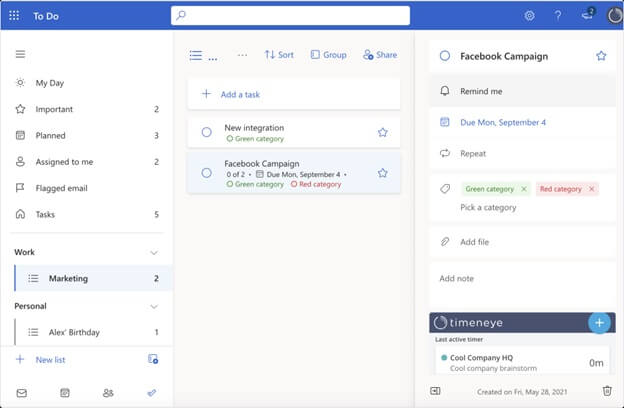
- Best for task scheduling: Microsoft To-Do. The “My-Day” planner lets you swipe tasks across folders intuitively, rearrange priorities, and navigate your daily schedule easily with a lightbulb.
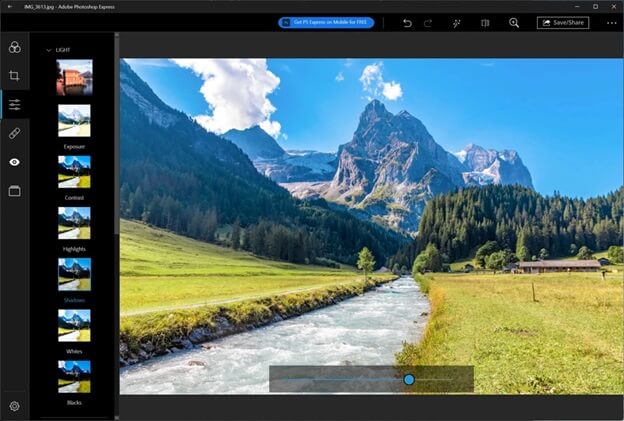
- Best for image editing: Adobe Photoshop Express. Its AI-powered Quick Actions and touch-friendly sliders allow you to remove backgrounds easily, delete distractions, and adjust lighting quickly.
- Best for reading: Amazon’s Kindle. EasyReach tapping with pinch-to-zoom for a comfortable reading experience.
- Best for browsing: Mozilla Firefox. Two-finger pinch-to-zoom on Windows for seamless web page scaling without ruining layout formatting, and touch mode density setting to make controls easily usable with your finger.
A Glance at the Best Touch Screen Apps for Windows 10/11
| Application | Category | Best For | Key Touch Features | Touch Optimization Level | Stylus & Pen Support | Pricing |
| OneNote | Productivity and note-taking | Students and academics, Researchers and writers, Corporate Professionals and project Managers | Instant virtual keyboard access, fluid inking, and auto-shape conversion | No special setting, but enlarges ribbon buttons with the touch mode | Yes | Free |
| Microsoft To-Do | Task management and personal information management | Anyone looking for a cloud-based app to organize daily work and personal life | Intuitive swipe actions, drag-and-drop organization, quick tap menus | Automatic UI element spacing and task-completion checkboxes when using a touchscreen | Yes | Free |
| Adobe Photoshop Express | Photo editing | Casual creators, social media managers and influencers, beginner designers, and on-the-go professionals | AI-powered background replacement, on-the-go digital collaging, spot healing, and intuitive touch control to apply filters | High, powerful touch capabilities for one-touch image editing | Supports basic stylus, but no pressure sensitivity or tilt detection | Basic Free, Premium starts at $4.99 per month |
| Amazon’s Kindle | Reading and consumption | Avid readers, travelers, and students for paper-like reading | Page size adjustment by pinching, glare-free E-ink, intuitive page-turning | No user-configurable touch optimization | No | Free (only pay for the books you purchase) |
| Mozilla Firefox | Web browser | Privacy-focused web surfers and all those looking for a browser | Automatic on-screen keyboard, pinch-to-zoom, swipe-to-navigate | Activates touch support using your operating system’s signals | Yes | Free |
What Are the Best Apps for Touch-Screen Laptops (Complete Details)
The best touch screen apps for Windows 10/11 laptops include OneNote, Microsoft To-Do, Adobe Photoshop Express, Amazon’s Kindle, and Mozilla Firefox. All these apps offer unique features to improve the experience of touchscreen laptop users.
1. OneNote
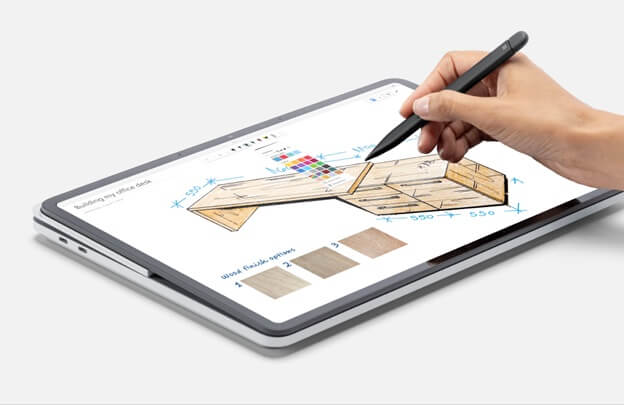
If you are looking for the best apps for touchscreen laptops to take notes, you can use OneNote. This application is not your regular notepad, but a complete solution for students, writers, and anyone else who is into writing lengthy or discursive notes or sketching schematics. Here are the most notable features of OneNote.
Key features
- Copilot to help you generate ideas, draft plans, make lists, and organize information with natural language prompts.
- Easy sketching, annotating, and highlighting with digital ink for a natural pen feel.
- Voice transcription for effective note capturing.
- Note organization in searchable digital notebooks and a shareable content library.
- Sticky notes to help you quickly capture and automatically recall your notes when you visit the same source again.
Also know: Best Duplicate Photo Finder and Cleaner Tools for Windows
2. Microsoft To-Do
Microsoft To-Do is the best touch-screen app for Windows 10/11 for those who have too much to do. With too many tasks on the plate, scheduling and reminders become essential. Thanks to this application, we remember our after-office grocery shopping on a busy Monday! This app shows task reminders as and when scheduled and has the following features.
Key features
- My Day. It is an intelligent daily planner that offers customized suggestions to update your weekly or daily to-do list.
- Cross-platform task management allows access to your list anytime and anywhere.
- Easy to-do list sharing with family, friends, and colleagues.
- Breaks complex tasks into simple steps, lets you add due dates, and reminds you to complete the task on time.
- Integration with Outlook Tasks for easy management of all tasks in a single place.
3. Adobe Photoshop Express (Now Called Adobe Express Photos)
If you are searching for a touch-friendly image editor, Adobe Photoshop Express is the best touch screen software for Windows 10/11 to edit photos. It offers natural gestures, including swiping, pinch-to-zoom, and dragging sliders for touch-friendly laptops for intuitive and easy editing, in addition to the following features.
Key features
- AI-based one-click background removal, blemish healing, and subject masking.
- Built-in cropping presets for various platforms, including Instagram, LinkedIn, and YouTube.
- An all-in-one application for editing, collage making, adding filters, and retouching photos with makeup and skin smoothing.
- It supports more than 20 image formats, including JPEG, PNG, and RAW images.
4. Amazon’s Kindle
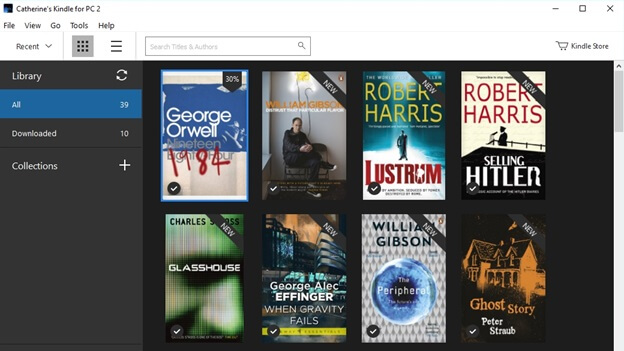
The free Amazon Kindle app for PC is one of the best apps for touchscreen laptops if you are an avid reader. You can pinch-to-zoom and swipe/tap to turn pages just like you would on your tablet. Additionally, it allows you to tap and hold a word to quickly highlight and look up its meaning or add a note, tap the center of your screen to call up the reading menu to customize the layout, font size, and background color, and offers these notable features.
Key features
- You can track your reading progress by seeing the percentage of the book you have completed, or how much time is left in the chapter, or book completion based on your reading speed.
- It lets you capture and save important book moments, add bookmarks in the book, and make highlights and notes that you can search, share, and see in a single place.
- The page flip allows you to skim through the pages or get a bird’s-eye view of the book.
- With Audible within the Kindle app, you can switch from reading a Kindle book to listening to an audiobook.
5. Mozilla Firefox
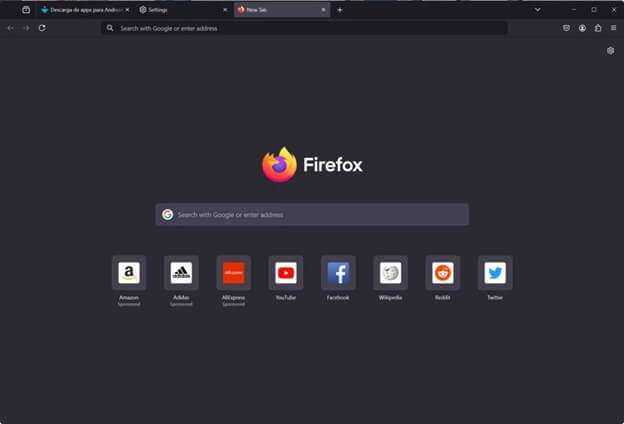
For those looking for a seamless browsing experience on a touchscreen laptop, Mozilla Firefox is the best browser. Its auto-touch UI detects touch-friendly machines automatically and switches menus, buttons, and other elements to a spaced-out touch mode for easy navigation with your fingers. In addition, its pinch-to-zoom support and the following features make it one of the best touchscreen software options for Windows 10/11.
Key features
- Built-in tracker blocking to keep your privacy protected.
- Data encryption and cross-platform compatibility.
- No distractions in the reader mode, picture-in-picture to keep videos out of the way, and pinned tabs to find what you need easily.
- Tab grouping, customizable sidebar, clean interface, and intuitive controls.
- Optional AI features: the AI options are available when you need them.
That’s a wrap for our list of the best apps for touchscreen laptops. You can use all these applications smoothly on your Windows 10/11 touchscreen device. If you want to know more about these apps or have any questions, write your queries in the comments section. You can also write your suggestions, if any, in the comments to improve this blog.
Also know: Best and Safest ROM Sites to Download ROMs
Frequently Asked Questions
Q1. What are the best apps for note-taking on a touchscreen laptop?
The best apps for note-taking on touchscreen laptops include Microsoft OneNote and Obsidian, with Microsoft OneNote being our top recommendation. OneNote offers an infinite canvas to make notes easy for touch users.
Q2. What is the best touchscreen software for Windows 10/11 for sketching and graphic design?
Adobe Fresco is one of the best apps you can use for sketching and graphic design. It perfectly replicates real-world oils and watercolors, and works with both vectors and pixel (raster) brushes in a touch-supported UI.
Q3. What can be used in touch screen laptops?
You can perform a wide variety of tasks on your touchscreen laptop, ranging from drawing and gaming to text input and editing pictures. These laptops offer better control over the interface than traditional keyboards and mice, making them perfect for tasks that need greater precision.
