

Time is money. Every second you wait for the browser to load pages, you could do something more productive. That’s why the fastest browsers for Windows are in popular demand to minimize wait times and reduce page latency, especially when you have multiple tabs running.
The fastest browser for PC can help improve your productivity by making multitasking easier and handling heavy workloads smoothly. Imagine an online game where you are about to shoot the opponent, but a slow browser does not load the weapon in time, and you miss the target. Or imagine live trading with many tabs open, and you are searching for real-time market insights to make the right move, but your browser doesn’t cooperate.
Everyday situations like streaming your favorite show, joining an important video call for work or school, or grabbing a last-minute deal while shopping online can all be ruined by a sluggish browser that freezes or lags at the worst moment. Sounds frustrating? That’s why you need fast browsers for Windows 10 and other Windows versions, which pack speed, security, ease of use, and customization powers into one solid package.
However, the most popular browsers, including your current browser, and even the best browser for gaming, may not be the fastest. The fastest browser for Windows 7/8/10/11 has a low page load time (the time to render a website fully); it quickly launches, loads pages, runs web applications, and switches between open tabs.
When we look at specific speed strengths, Opera One stands out for its fast launch times and quick tab switching, making it ideal for users who keep multiple tabs open. Google Chrome is especially efficient at running web applications and handles JavaScript-heavy sites with ease. Microsoft Edge offers excellent overall performance and is responsive when switching between tasks, while Brave is lightweight and maintains high speeds even with privacy features turned on. Mozilla Firefox is strong in page loading speeds and provides smooth navigation, particularly for users concerned with privacy. This means that depending on whether you prioritize fast startups, swift tab management, or web app responsiveness, you’ll find that certain browsers excel in particular areas.
The fastest browsers for PC in this article, in addition to high speed and responsiveness, are light on RAM and CPU usage, actively updated, value user privacy, support popular extensions, and are user-friendly.
But how do we know these are the fastest web browsers for Windows? Well, for that, we evaluated each browser on multiple standards.
How We Choose the Fastest Browsers for Windows PC
To evaluate the browsers on their speed, privacy, extension availability, and user experience, we ran multiple tasks on each browser and tested them using the following benchmark tools.
- Speedometer 3.0: Speedometer 3.0 is an industry-standard tool that times simulated user interactions on different workloads to measure the responsiveness of web apps. This benchmark performs multiple tests that resemble real-world situations, for example, text editing, managing to-do lists, navigating news websites, and chart rendering. It applies well-known frameworks, such as Observable Plot, Next.js, chart.js, Nuxt, CodeMirror, TipTap, and React Stockcharts, to test the browsers. A higher score indicates a faster browser.
- JetStream 3: Just like Speedometer 3.0, JetStream 3 is a browser speed test tool. It uses a variety of JavaScript and WebAssembly benchmarks to ascertain how fast or slow a browser is.
- MotionMark: MotionMark checks the browser’s ability to load graphics. A higher score means faster graphics loading.
Based on these tests, let’s look at the fastest browsers for Windows PC.
What Are the Fastest Browsers for Windows
Opera One, Google Chrome, Microsoft Edge, Mozilla Firefox, and Brave are the fastest web browsers for Windows 10 and other Windows PCs. In addition to being fast, each of these browsers has unique strengths.
For example, Opera One offers social media integration and a pop-up blocker. Google Chrome seamlessly integrates across Google’s apps and products and offers many extensions for customization. Microsoft Edge is the fastest browser for PC with integrated privacy features. Mozilla Firefox is one of the most secure web browsers that blocks cryptominers and fingerprinting. Brave is the best fast browser for Windows 10 with a strict anti-ad policy. Let’s look at all these browsers in greater detail.
1. Opera One– Best free, fastest browser for Windows with extra built-in tools
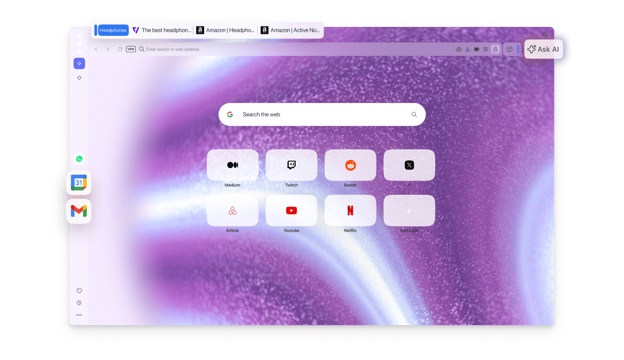
“I want the fastest web browser for Windows PC, which is also highly private and secure.” If this is what your requirements sound like, Opera One can be the best fast browser for Windows 10. Not just fast browsing, it packs a free VPN, ad blocker, and Flow file sharing into the browser for a faster, smoother, and distraction-free experience. Here are its top features.
Key features
- Built-in social network tools with shortcuts to popular social networks in the sidebar.
- A battery saver mode that pauses animations and reduces background activities to save resources (we kept this feature turned off during our testing).
- An ad-blocker that blocks intrusive ads to ensure distraction-free browsing.
- An AI assistant for search, chat, and summaries.
- Re-opens recently closed pages.
- A built-in screenshot tool, markup tool, and tracking blocker.
Also know: FIXED: Mobile Hotspot Not Working on Windows 10/11
2. Google Chrome– Best fast browser for Windows 10/11 with Google services and extensions
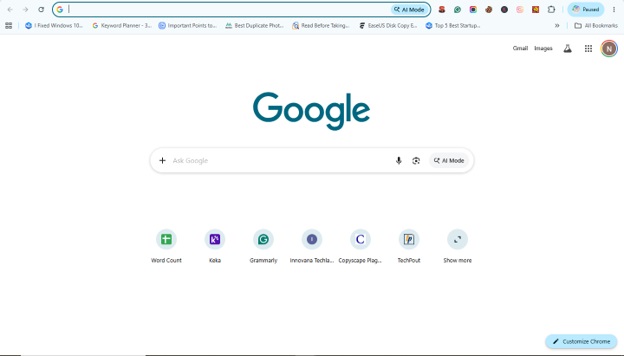
One of the most popular browsers, Google Chrome, is also one of the fastest web browsers for Windows 10, especially for JavaScript-heavy websites, web apps, streaming platforms, and Google Services. Best for stability and reliability, Google Chrome is the most preferred browser by users who want broad site compatibility. It offers a wide range of extensions (200,000+), effortless integration with Google services, and the following features.
Key features
- Passwords, bookmarks, and tabs syncing across all devices.
- Google Gemini’s built-in AI features.
- Bi-weekly (once every two weeks) automatic security updates.
- Highly customizable user interface.
- Availability of a dark theme and an Incognito mode.
3. Microsoft Edge– Best fast web browser for Windows 10/11 with seamless Microsoft services integration
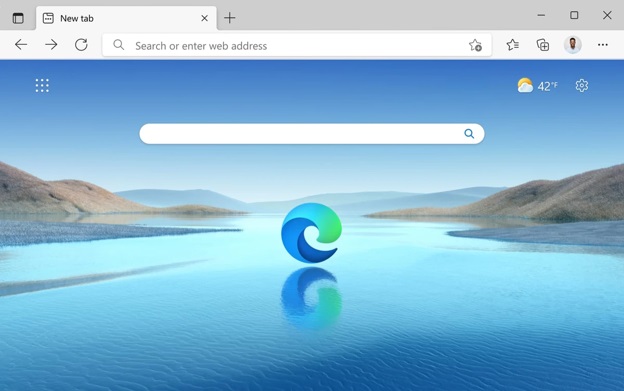
Next, we have Microsoft Edge on the list of the fastest browsers for Windows. The default browser (comes pre-installed) on all Windows devices, Microsoft Edge, offers some of the most unique privacy features, such as a built-in anti-tracking tool, besides fast performance. Moreover, it supports Chrome extensions and better memory management through features like sleeping tabs. It also offers the following features.
Key features
- Built-in Microsoft Copilot AI support for easy search and problem-solving.
- An option to view, edit, and share PDF files directly from the browser.
- A Private mode, just like Chrome’s Incognito mode, for private and safe search.
4. Mozilla Firefox– The fastest browser for PC with strong privacy defaults
Mozilla Firefox is a fast browser for Windows 10, best for security. It emphasizes data security over data collection through features such as cryptominer blocking, fingerprinting prevention, and local password storage. Moreover, it offers pop-up blocking, protection against spyware, a vast number of extensions, many customization options, and the following notable features.
Key features
- A non-Chromium browser, i.e., one of the best browsers not built on Google’s engine.
- Container tabs to isolate work and personal browsing.
- Strong developer community.
- Easy menu or toolbar customization.
- A unified search bar to search everything.
- A dark mode that can expand to all web pages.
5. Brave– The fastest web browser for Windows 10/11 with built-in ad and tracker-blocking
Brave can be the right choice if you are searching for the fastest browser for PC, which is also privacy-focused. In addition to fast browsing, it offers great privacy features, such as an ad-blocker, fingerprint and tracker blocker, and a Tor mode for anonymous browsing. Additionally, Brave has the following features.
Key features
- Brave rewards: you can earn cryptocurrency while viewing ads that respect privacy.
- Compatibility with Chrome extensions.
- Built-in AI assistant for easy chat and summaries.
- Built-in VPN to change your IP address and protect your privacy.
That concludes the list of the most secure and fastest browsers for Windows 10/11/8/7. If you feel confused with so many options, we suggest you choose Opera based on our benchmark results, the browser’s security, speed, performance, and privacy tests. If you like some other browser or have any related questions that remain unanswered in this article, feel free to write us a comment.
Also know: Snipping Tool Not Working in Windows 11,10,8,7
Frequently Asked Questions
Q1. Which browser is the least laggy?
The least laggy browser depends on your PC hardware. Old PCs generally lag more. However, based on our tests, Brave and Microsoft Edge are among the smoothest and fastest browsers.
Q2. Which is faster than Chrome?
In real-world use, Opera One is faster than Chrome. It works smoothly even with multiple tabs open.
Q3. Which browser takes the most RAM?
While popular and fast, Google Chrome is the most RAM-heavy browser. It consumes the most RAM, up to 6.5 GB with 50 active tabs.
