While research is a time-consuming and effort-taking process, managing the references should not be. That’s why the best reference management software or literature review programs help you create, store, manage, and format citations accurately and effortlessly to retrieve them quickly whenever required. With these tools, you can import and save bibliographic references from databases, websites, and search engines, create customized research reading feeds, organize articles into categories, and tag them based on keywords for quick access, and ensure consistent formatting of citations in various reference styles (for example, APA, Chicago, and MLA).
For researchers conducting systematic reviews or large-scale literature reviews, certain reference management tools offer powerful features to handle hundreds or even thousands of references efficiently. Many of the leading programs listed below support advanced bulk management and collaboration options, making them highly suitable for systematic review workflows.
Hence, this article presents the best paid and free reference management software to help you keep track of the vast volume of scientific studies and learn from past findings and information. To ensure a fair and comprehensive comparison, we combined hands-on testing of each tool with an in-depth review of user surveys and input from academic experts in the field. Our top recommendations were selected after carefully considering their access to various databases and journals, features (for example, automatic formatting and annotation capabilities), interface quality, existing user reviews, compatibility with word processing software, reliability and accuracy, price, and privacy.
Quick Look at the Best Reference Management Software
| Software | Best For | Key Features | Price | Pros | Cons |
| Zotero | Students, researchers, and students | Open-source, strong community support, third-party plugins | Free up to 300 MB storage, storage upgrade starts at $20/year for 2 GB | Powerful citation management, automatic syncing across multiple devices | Non-compatible with WordPress (needs a plugin), not-so-modern interface |
| Papers by ReadCube | Academics, mobile users | Shared libraries, advanced PDF options, and mobile apps | Essentials ($65/year), Pro ($130/user/year), Enterprise (available on request) | Automatic metadata extraction, auto article identification, and easy-to-use | Occasional formatting problems, not-so-good selection tool |
| EndNote | Professional researchers, large academic institutions, medical and scientific authors | Automatically finds and attaches associated metadata, and direct document annotation within the app | Free 30-day trial, a one-time cost of $115.95 for the paid version (for students), $249.95 (for the full version) | Powerful management of large libraries and complex projects, excellent training resources, and wide database connectivity | Steep learning curve, not compatible with LaTeX |
| Paperpile | Google Workspace users | Integration with Google Docs | 30-day free trial, $8.30/month (Regular), $11.50 (Expert), Enterprise (Available on contact) | Lightweight, attractive interface, and efficient annotation for PDFs | Works only on Google Docs |
| RefWorks | Institutions and libraries | Automatic citation data completion, large-scale institutional collaboration, easy integration with major academic databases (such as Web of Science and ProQuest) | Free trial subscription, customized quote available upon request | Easy to use, excellent collaboration features | Limited customization |
What Are the Best Reference Management Software Programs (Detailed Overview)
The best reference managers in 2026 include Zotero, Papers by ReadCube, EndNote, Paperpile, and RefWorks. Each of these software programs has its own merits. For example, Zotero is a free and open-source citation management software with browser extensions. Papers by ReadCube is the best reference management software for research with an AI-powered PDF reader and chat functionality. EndNote is a desktop-first reference manager with advanced citation style editing. Paperpile is a reference manager for those who use Chrome and Google Docs for their writing and collaboration. RefWorks is a web-based application with an institutional subscription for seamless folder and bibliography sharing between members via a campus-wide license. Let’s now look at these programs in detail.
1. Zotero
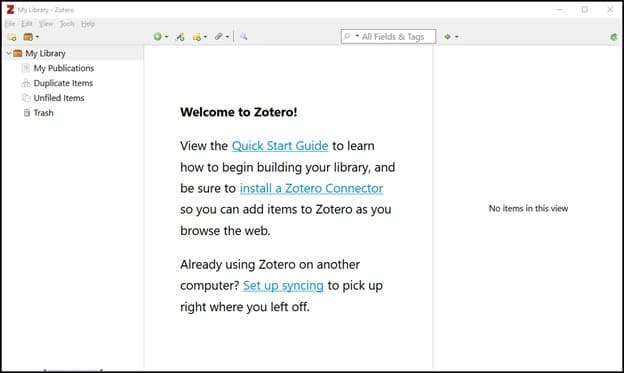
Zotero is the best free reference management software you can use to organize your research according to your preferences. With this software, you can create saved searches with links that automatically take you to the relevant materials when you research, organize your items as collections, and tag these items with keywords. Additionally, here are other notable features of Zotero.
Key features
- It supports a wide range of text editors, including Word, LibreOffice, and Google Docs.
- Zotero supports nearly 9,000 citation styles.
- It automatically synchronizes your data across devices to ensure your notes, files, and bibliographic records remain up to date.
- The Zotero library is shareable with as many people as you want.
- It supports BibTex import.
- Zotero is customizable with plugins.
Also know: Best Ways to Open Computer Management in Windows
2. Papers by ReadCube
Papers by ReadCube is the best reference manager for those who prioritize easy information importing from their desktop, databases, journals, and other reference managers. It also connects you to over 150 million articles in its searchable database. You can also explore AI-powered suggestions, access referenced research via the bibliographies in your articles effortlessly, contextualize your research, expand it with linked citations, and make the most of this software with the following features.
Key features
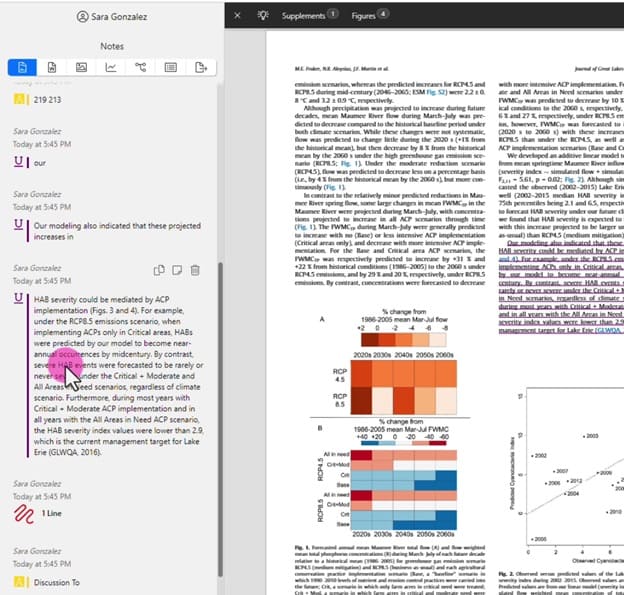
- Papers allow highlighting, underlining, striking through, making inline annotations, drawing, and adding sticky notes.
- AI-powered analysis tools to explore and find connections in individual articles across various libraries to uncover insights and relationships you may have missed.
- A chat with PDF functionality to ask the AI assistant questions about your literature and get contextual answers.
- An AI assistant helps you understand unfamiliar disciplines and languages easily.
- Syncs the entire library across devices, shared libraries with shared notes and annotations, and easy team collaboration.
- It offers SmartCite, a built-in search engine to access references easily.
- Papers supports more than 10,000 citation styles and allows you to create your own.
3. EndNote
EndNote is the best reference management software, known for its comprehensive citation styles (it supports over 6,000 reference styles) to generate correctly formatted references, deep Microsoft Word integration, and the following features.
Key features
- The “Cite While You Write” option for in-text citations and bibliography creation.
- A “find full text” option to search automatically for and attach PDFs to the references.
- You can share your complete EndNote library, including notes and PDFs, with over 200 other users of EndNote.
4. Paperpile
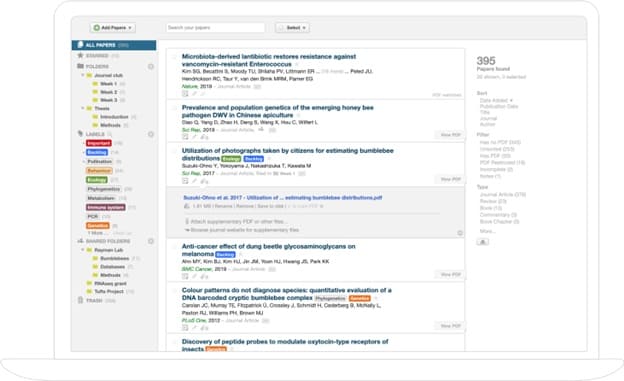
Paperpile is the best reference management software, free for 30 days, with effortless integration with Google Drive and Google Docs. With this easy-to-use reference manager, you can import data from Google Scholar, ArXiv, PubMed, and other supported websites directly. It also offers automatic PDF download syncing across all devices and the following features.
Key features
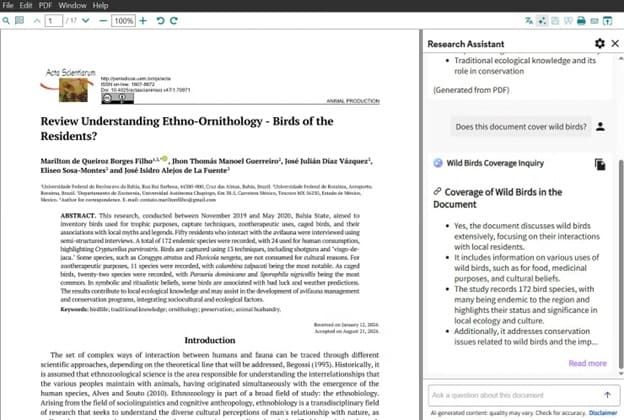
- It supports PDF importing, annotating, and organizing, along with PDF highlighting, note-taking, and file name customization.
- You can import references from journal websites and academic databases with one click.
5. RefWorks
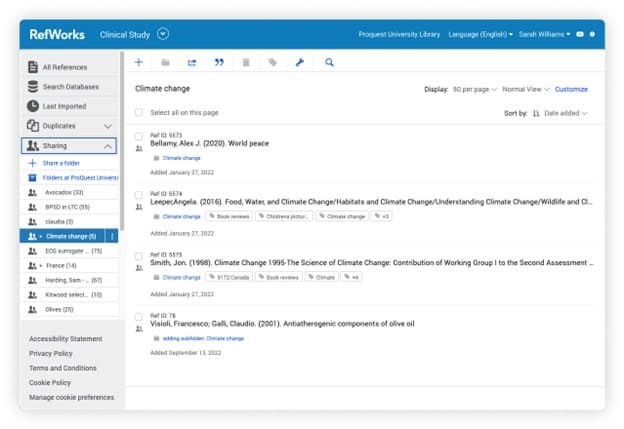
RefWorks is the best reference manager software for those looking for a web-based software to manage references. It allows easy citation import from databases, websites, and journals, seamless integration with ProQuest or Clarivate, and offers the following notable features.
Key features
- It allows syncing your data to Dropbox and allows you to save a local copy of your entire text.
- You can customize citations with the citation style editor.
- It lets you drag and drop full PDFs into your library directly.
- RefWorks allows organizing, reading, annotating, and highlighting full-text documents.
- You can easily share documents with institution members or RefWorks users for collaboration.
- It seamlessly integrates with the best writing tools, such as Google Docs and Microsoft Word.
- You can choose from more than 6,000 citation styles.
- Institutional administrators can control full-text sharing, manage access, set the default citation style, and generate accurate citations with the validation tool.
Hopefully, the best reference management software above will help you manage your citations hassle-free. While choosing a citation or reference manager, consider the data probability, i.e, how easy it is to export your library, your collaboration requirements, and whether you find the software easy enough to use. In our view, Zotero’s versatility and features make it a go-to software for most users. Paperpile is good for those in the Google ecosystem. EndNote caters well to the needs of large institutions and professional researchers. If you have any confusion, questions, or suggestions, you can write us a comment.
Also know: How to Fix Greyed-Out Volume Options in Disk Management on Windows
Frequently Asked Questions
Q1. What makes a good reference management software?
A good reference manager software helps you track all your sources efficiently, captures them into your library automatically, ensures consistent referencing, lets you pull out references easily from the reference database, and helps with easy search organization. With the software to manage references, you can create shared libraries, update references and citations in real-time, integrate with popular collaboration tools, such as Google Docs, and set access permissions for various collaborators.
Q2. Are there free reference management software options available?
There are many free options available for reference management, such as Zotero, to save your time by formatting bibliographies automatically, automatic citations, and easy research library organization.
Q3. What is the best software for reference management?
The best software to manage references depends on your requirements and workflow. You can choose Zotero if you are looking for a free and open-source option, EndNote if you are a power user, and Paperpile if you use Google Docs. Other than these, this article also contains other top reference management software in 2026, such as Papers by ReadCube and RefWorks.