

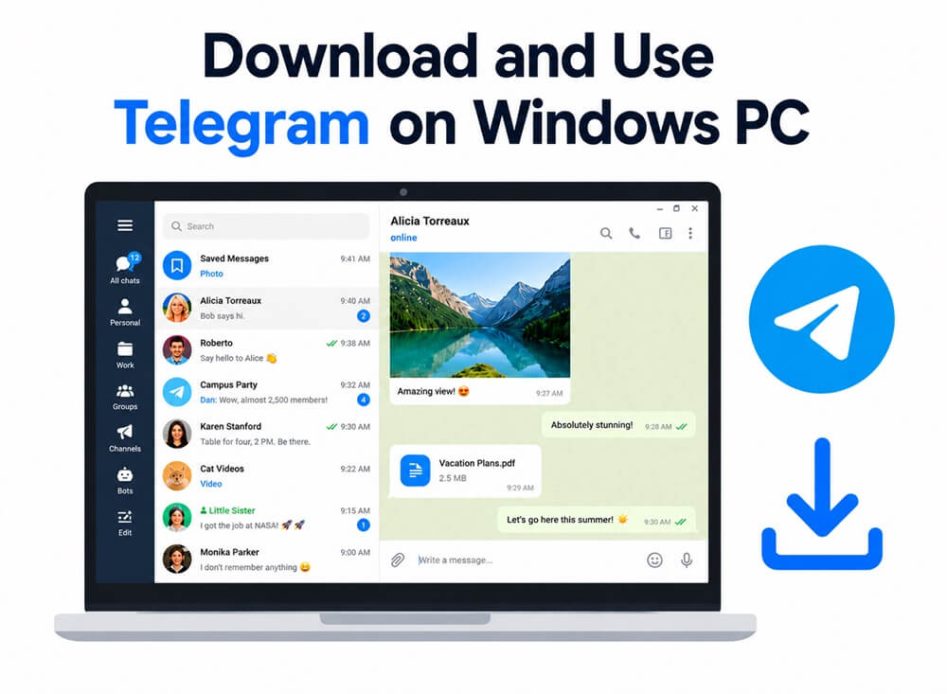
Telegram is a highly popular social media platform you can use to message and chat with others. With this free messaging platform, you can create and allow people to join your community or community pages. While initially available for Android and iOS, you can now download the Telegram software on your PC easily to use Telegram without switching to your phone when working on the desktop, share files, store media, navigate channels from the desktop itself, and get the best Telegram experience even when you have trouble with your mobile (for example, poor mobile connectivity or low battery).
To help you get Telegram out of your smartphone, this guide explains how to download and use Telegram desktop. Additionally, it also discusses alternative ways, such as Android Emulator, to access Telegram on Windows hassle-free. Let’s get started.
How to Download Telegram Desktop Software
You can download Telegram for Windows PC from the official website of this social media platform. The detailed guide below helps you download the Telegram app software for your PC easily.
- Visit Telegram’s official website.
- Click Apps in the top menu.
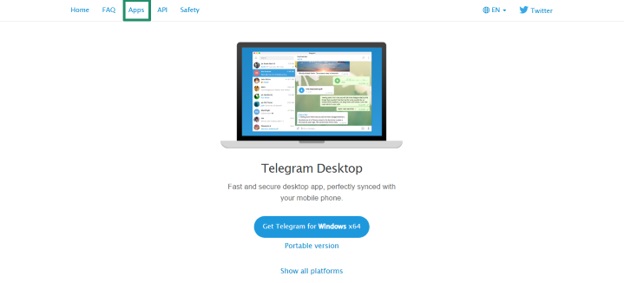
- Find the Desktop apps section and then click Telegram for Windows/Mac/Linux.
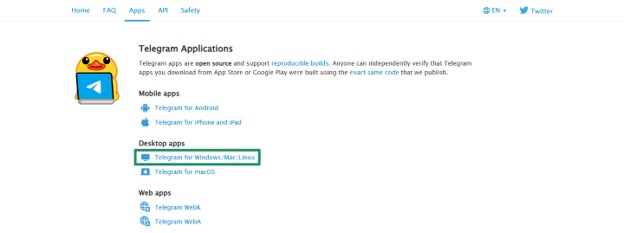
- You will be redirected to another page. If the operating system is correct, click Get Telegram for Windows x64.
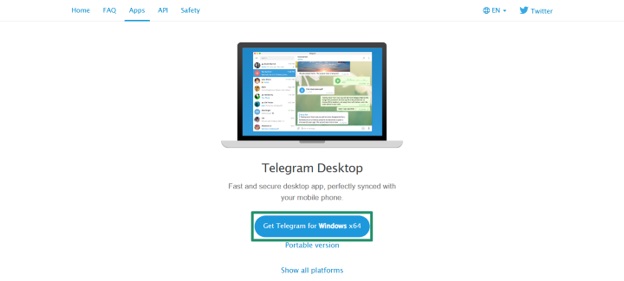
- If you want to download the Telegram software for another operating system, click Show All Platforms.
- Next, click the desired option to get Telegram. You can also download the portable version of this software if needed.
- After the file downloads, run the installation file on your PC. You can use a zip file extractor to open and run it.
- Follow the on-screen prompts to install the tool on your computer.
- Run the Telegram app from your desktop to proceed to the next step.
- When the application opens, click Start Messaging.
- Log in to the app using the QR code, or click log in using your phone number as required.
After logging in to the app, you can use Telegram on Windows effortlessly to download PC games, connect, and share your experiences with your communities, friends, and family.
If you do not wish to continue with the Telegram software download on your desktop, you can use Web Telegram instead.
Also know: Best Apps for Touch-Screen Laptops
How to Get Web Telegram
You can use Web Telegram on any of the best browsers for Windows. Just like the Web WhatsApp, Web Telegram requires your smartphone with a logged-in and active Telegram account. Here are the detailed steps to use Telegram Web on Windows.
- Visit the official website of Telegram.
- Click
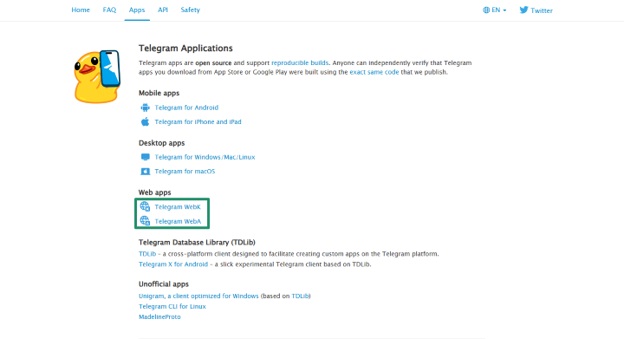
- On the Apps page, go to the Web apps
- Click Telegram WebK or Telegram WebA.
- After the web page loads, a QR code will appear. Open the Telegram app on your smartphone.
- Tap the three vertical lines.
- Tap
- Next, tap
- Tap the Scan QR option at the top of the screen. Scan the QR on the web app on your desktop to log in to your Telegram account.
If you are unhappy with the Telegram web app, there is another unique method to use Telegram on Windows, i.e., using an Android Emulator.
How to Use Telegram Software on Windows Using an Android Emulator
An Android Emulator, for example, BlueStacks, is an Android Virtual Device (AVD) that represents a specific Android device. You can use it to run Android applications, such as Telegram, on your PC. After downloading one of the best Android Emulators, such as BlueStacks Android Emulator, from the internet, you can use the Telegram APK to install and use Telegram on Windows.
The previous sections of this guide explained some of the best ways to use Telegram on Windows using the Telegram software download, Web Telegram, and Android Emulator. Let’s now answer some commonly asked questions to clear up any confusion you may have.
Also know: Best Productivity Apps for Windows
Frequently Asked Questions
Q1. What is Telegram Software?
Telegram is a secure and popular messaging and audio calling cloud-based application to send messages, videos, photos, and files of any kind to your contacts without any charges.
Q2. Is Telegram free software?
Yes, Telegram is a free software to send messages, create chats, and join channels.
Q3. Can I install the Telegram app for PC?
Yes, you can download and install the Telegram desktop app for your PC from Telegram’s official website, as explained in the guide above.
Q4. Is Telegram safe to install on PC?
The Telegram app itself is safe to install on a PC. It encrypts your chats, groups, media, etc., using a combination of 2048-bit RSA encryption, 256-bit symmetric AES encryption, and Diffie–Hellman secure key exchange. However, you must be careful of hackers and scammers who use Telegram to spread malware. Avoid clicking suspicious links and be watchful of bots in groups or private chats.
