

Are you a privacy-conscious person who wants to avoid tracking, telemetry, and data mining, an IT professional seeking customizable, robust, and free tools for system administration, or someone on a budget looking for the best free alternatives to software like Microsoft Office or Adobe Creative Cloud? Perhaps you need software to edit your photos, write and manage your documents, or improve your media playback experience. Then, open-source software is what you need.
Popular open source software examples, such as GIMP, LibreOffice, Shotcut, Audacity, and VLC Media Player, allow you to modify the software code to fit your needs.
Additionally, the top open source software for PC is generally free, completely transparent, and highly customizable. They offer several advantages, such as easy integration with other applications and platforms. For example, LibreOffice seamlessly opens Microsoft Office files, ensuring compatibility and smooth workflow transitions, while VLC Media Player streams content effortlessly to devices like Chromecast, enhancing your multimedia experience.
Hence, this article lists the best open source software for Windows you can use for your various requirements, while first explaining the meaning of open source software.
What Is Open Source Software
Imagine a proprietary software (for example, Adobe Creative Cloud), i.e., a copyrighted software, which is the property of its creator or owner, that you cannot relicense, distribute, copy, or inspect the code yourself. Moreover, you can use this software only under predetermined conditions, which usually come for a fee.
An open source software is the exact opposite.
Built by multiple collaborators who voluntarily worked to create some awesome software, an open-source program is software with an open or publicly available code.
This is a software operating under a license that contains distribution, modification, sublicensing, and other software permissions and limitations.
The licenses under which open source software operates include the MIT license, the Apache 2.0 license, and the GNU GPL.
An MIT license is the most popular open source software license that grants you the copyright license without granting a patent; you can use the software commercially.
An Apache 2.0 license lets you use, distribute, and modify open source software without royalty payment or patent infringement.
The GNU GPL license allows subsequent work on the open source software, but under the same terms.
While this is what open source software means, is it a secure option? Let’s answer this question next.
Are Open Source Software Secure
Despite the public availability of the source code, an open-source program is often more secure than closed or proprietary software, as anyone can inspect the code and there is greater community collaboration. However, it’s important to acknowledge that open source software can also have vulnerabilities if not properly maintained. Fortunately, active communities play a crucial role in addressing these issues quickly, making the software more resilient over time.
That said, let’s proceed to the list of top open source software available currently.
What Is the Best Open Source Software
The list of the best open source software includes GIMP, LibreOffice, Shotcut, Audacity, and VLC Media Player. Below you can check their review.
1. GIMP- Best Open Source Photo and Image Editor
GIMP, or GNU Image Manipulation Program, is among the best open source software alternatives for Adobe Photoshop. With this software, you can create new graphic design elements and download plug-ins created by the GIMP community.
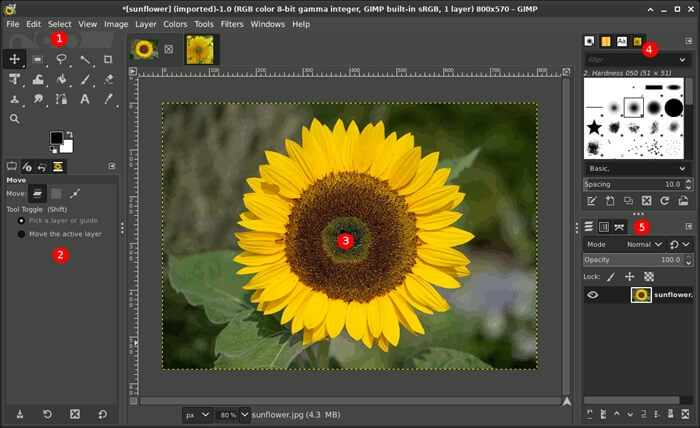
Moreover, it boasts a customizable interface, layers, filters, and masks, along with many tools for advanced image editing.
Click here to learn more about GIMP
Also know: Best Ad Blocker Software for Windows
2. LibreOffice- Best Open Source Microsoft Office Alternative
LibreOffice is the answer for those searching for the best open source software examples to replace Microsoft Office. It offers a complete set of office applications with support for Microsoft files and lots of templates.
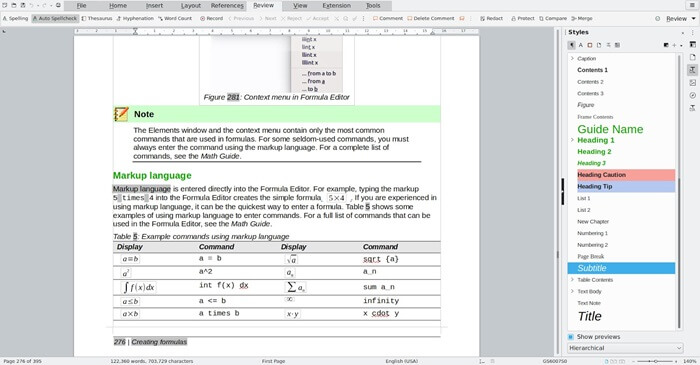
Additionally, it has an excellent developer community that keeps adding new features to the software, a QR code generator to effortlessly generate mobile-friendly links being one of them.
Click here to learn more about LibreOffice
3. Shotcut- Best Open Source Software for Video Editing
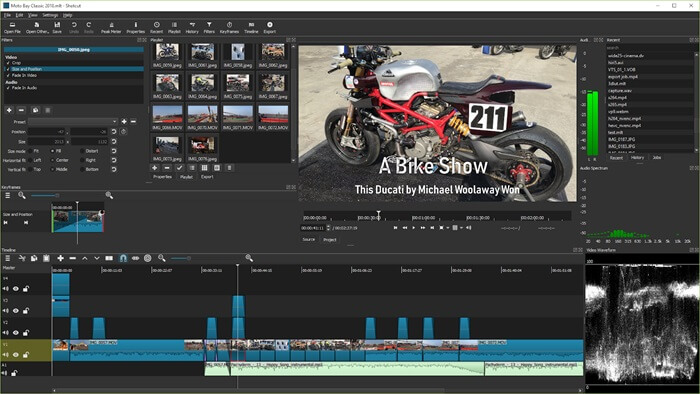
Shotcut is an open-source software for those searching for free, advanced video editing software. It offers features such as advanced effects, HDMI preview and capture, support for a wide variety of codecs, an option to compile effects without quality loss, color keying and grading, in addition to basic trimming, clip splicing, and support for a wide range of video, audio, or photo formats.
Click here to learn more about Shotcut
4. Audacity- Best Open Source Audio Editor
Audacity is the best open-source software for those searching for a robust audio editor, especially for music and podcasts. It is a feature-packed software for recording, editing, and enhancing audio files.
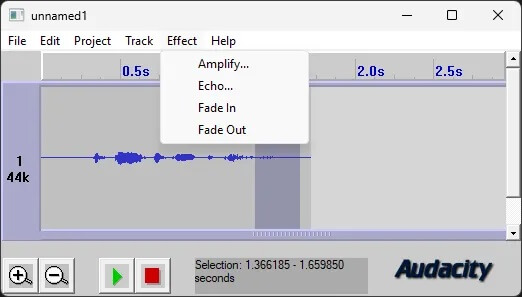
Moreover, Audacity supports direct streaming, works with almost all sound files, and you can add any features that are not included by default through the software’s library of third-party extensions.
Click here to learn more about Audacity
5. VLC Media Player- Best Open Source Video and Media Player
VideoLAN Client or VLC, developed by the VideoLAN project (an open source development group), is a lightweight open source software to open video and audio files in almost all formats without extra codecs.
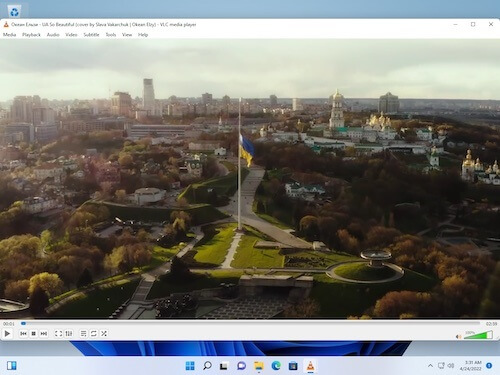
Running smoothly on old hardware, playing virtually any media file, and optimizing playback, VLC Media Player lets you stream podcasts, online radio stations, and other media, and stream to other devices (such as Chromecasts). Additionally, you can customize how your media is displayed, including adding subtitle files from third-party sources.
Click here to learn more about VLC Media Player
Also know: Best Workflow Automation Software
That’s all for the roundup of the best open source software for various purposes. We hope you found what you were looking for. However, if you want any of your favorite software added to the list above or have any questions, you can leave a comment for us to review and address your concerns.

