For communication and contact purposes, there are plenty of options for the kids texting app, and it is difficult for you to select one for your kid. And you want to make sure the information you upload remains safe and encrypted. Additionally, there should be content restrictions along with parental monitoring.
Here is the list of a few safe messaging app for kids which are pretty much trusted and contain better reviews than others.
Best Texting App for Kids
Parents are so much concerned with the selection of best texting apps for kids which are safe and secure in every sense and have very advanced features. All kids texting apps claim to be the best with all the features, but there are only a few which tried and tested and work.
So, here are some of the best texting app for kids to use without a phone number.
1. Messenger Kids
One of the best texting app for kids and always on the top of the list, this messaging app is designed by Meta. And this was specifically designed by the children of age group 6-12 to help them stay connected with their family members. This application is free of cost and safer for kids to connect, play, and communicate with family and their friends.
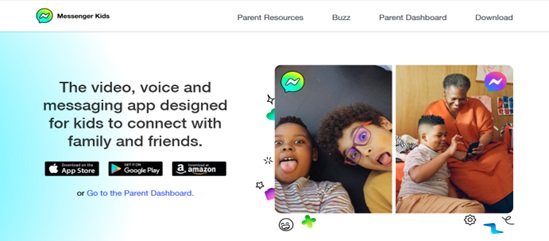
Key Features: The following are the main features of the application you must know before selecting this application.
- This kids texting app supports video calls and messaging with a lot of different and fun features like GIFs, emojis, and stickers.
- You can create individual and group calls as well using this application.
- There are also a lot of various drawing tools and single and multiple player games in this application.
- The best feature that enhances the needs of this application is that it has a feature set to the limits for the usage.
- The parents can easily manage and access contacts and monitor other activities on this application.
Price: And here comes the best part; this kids texting app is free of cost, and there are also in-app purchases.
Although this app falls under the category of the best kids texting app, we must understand the pros and cons of this application as well.
Pros
- This application is completely free of cost and has no in-app purchases as well.
- All the features of this application are kid-friendly.
- This has all the essential parental control, so you can easily manager and monitor the activities.
- Also, there is no interruption by unwanted and unnecessary ads in this application.
Cons
- This app requires the Facebook account of any of the parents for initial setup.
- The parental dashboard is always and only available on Facebook.
Also know: Best Internet Browsers for Safe Browsing for Kids
2. Stars Messenger Kids
Another family messaging app without a phone number with a simpler and safer messaging platform. This application has a lot of customizable message styles and contains plenty of fonts, colors, and sizes. With a very bright user interface, it supports both Android and iOS and makes it suitable and fun to use for kids.
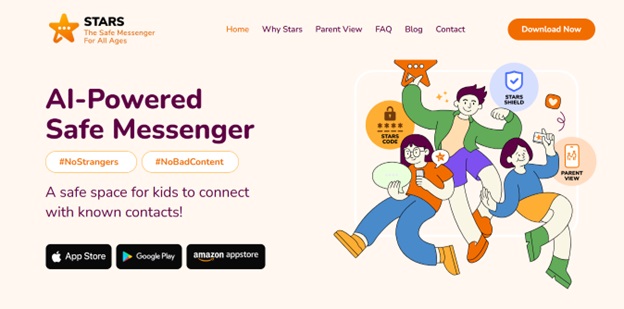
Key Features: The following are the primary key features of this kids texting app which makes it more accessible than other applications.
- This application allows you to share photos and videos with your family and friends.
- This application allows parents to manage all the contacts in the kid’s account and monitor all the activities in the app.
- This also helps you gain all the insights into the media and notifications.
Price: In this application, video calling is absolutely free. And this app provides you with 14 days of free trial for all of its new users. Then you need to pay $2.99/mo to access the parent’s view.
Pros
- The application is completely free of video calling.
- The features of this application are very kid-friendly, and there is no type of data collection.
Cons
- There are quite limited features in comparison with all the other kids texting app.
3. Kinzoo Messenger
The kids texting app Kinzoo was built to provide kids technology for connection, creativity, and curiosity that does not risk their privacy, safety, and well-being. The app was designed for connections instead of screen addiction. This application is safer than others because it has no access for strangers and it secures the app. This application is also free from all the manipulative algorithms.
Key Features: The key features in this application can be seen as:
- The user can use stickers and funny filters while texting, calling, and making videos.
- You can create individual and group chats as well. And these chats are secure from the end of the app, and there is no such collection of data as well.
- This application has creative features like creative tools for kids to draw and platforms to share creativity and stories.
- The parents have full access to control the in-app purchases for kids.
- And the parents can monitor and manage the activities and contact requests of the kids.
Price: All the features like chatting, calling, and parental control are absolutely free. But when it comes to advanced features like stickers, silly faces, and games, etc., these are the premium features for which you have to pay.
Pros
- Messaging and parental monitoring are completely free for this application.
- There are no aspects like, follows, and subscriptions like other social media apps or applications used by adults.
Cons
- It sometimes does not authorize Apple ID while signing up directly.
- When we look at other applications, this app has less advanced features.
4. AirDroid Parental Control
One of the safest family messaging app without a phone number is AirDroid Parental Control because it is an all-in-one protection for your kids, online and in the real world. This application facilitates its users with: –
- Remote monitoring
- Content Monitoring
- Usage Limitations
- Location Tracking
- Alerts
- Activity Report
- Website Restrictions
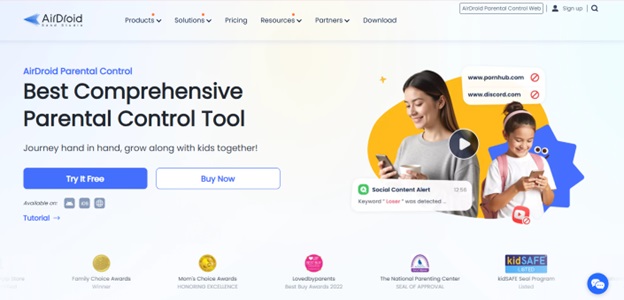
Key Features:
- You can easily share media and files when you are texting.
- The parents can customize the usage limits and schedules for the application.
- This app allows parents to monitor the activities of the account and access the notifications and remote screen.
- It facilitates you with the location tracking feature as well.
Price: It gives you a free trail for 3 days with no limitations. After this, you can pay:
- Monthly: For monthly access, you need to pay $9.99/mo.
- Quarterly: For quarterly access, you need to pay $19.99/Quarter.
- Yearly: For yearly access, you need to pay $59.99/year.
Pros
- The user interface of this application is very kid-friendly.
- It provides parents with complete monitoring access and parental control.
Cons
- This application has no such features as additional fun activities and games, drawing tools, and many others.
Also know: How Bit Guardian Parental Control Protects Kids From Online Dangers
5. JusTalk
Texting app for kids which the parents want for their children for just safe communication and to stay connected. Here in this application all the information of your kid shared by you remains safe and encrypted. This app does not need a phone number to create an account. And even if you are concerned about your kid’s account, then you can use your parent’s phone number to set up the account.
Key Features: Following are the key features of this application you need to know:
- You can share texts, voice messages, stickers, photos, and even short videos as well.
- You can also play a variety of kid-friendly mini games while you are on a video call with them.
- It also introduces the features of in-call doodles and playful reactions during kid’s video calls.
- You can also set up safe video calls and texts for children in a few steps.
Price: For usage by adults, it is completely free. But to use it as kids texting app you need to pay:
- For one kid’s account: $10.99/mo, and if you want to pay yearly then pay $39.99/year.
- For 6 family accounts: $19.99/mo, and $99.99/year.
Pros
- This app is quite engaging and fun for kids’ usage.
- It is filled with plenty of parental control features.
Cons
- There are no free features for kids’ accounts.
- There are a lot of steps you need to complete to set up the account for a kid.
Frequently Asked Questions (FAQs)
Q1. What are the features which a parent should consider for texting app for kids?
Ans. The app should have best encryption to keep data safe, the app should be easy to use for kids, it must be child friendly. And most importantly, the app must have parental control.
Q2. Are all the messaging applications for kids costly?
Ans. Not all the apps are costly, some of them are free of cost as well, like messenger kids, kinzoo messenger, etc.
Q3. What app is the kid’s version of WhatsApp?
Ans. Messenger Kids can be counted as the kid version of WhatsApp, which enables you to share photos, videos, and texts.
Finding a safe messaging app for kids is difficult and it is the most demanded query from a lot of parents. But there are apps mentioned above that will give you the best encryption and will be very fun and enhance your kids’ creativity.