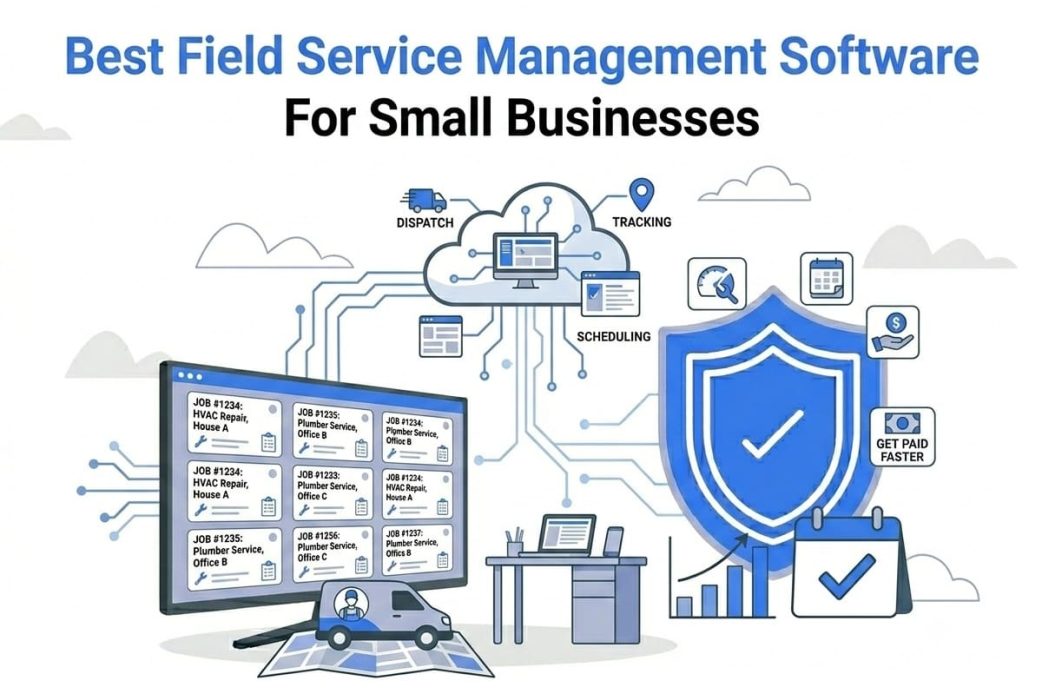
Field Service Management (FSM) software helps you streamline your scheduling, client communication, and inventory tracking. With the help of the best FSM software, you can ensure the on-time delivery of on-site tasks and services by job order processing, automated scheduling, and dispatching.
The best Field Service Management programs also help in task automation and improving technician and employee productivity through transparent and real-time communication. It also improves work efficiency and ensures customer satisfaction through better inventory control.
Hence, this article presents a thoroughly researched list of the best software for Field Service Management. To build trust with small business owners, we carefully reviewed dozens of options and analyzed real user reviews, product demos, and ratings from independent sources. We selected these programs after considering their features, such as work order management, real-time tracking, customer communication, inventory management, and route optimization. To ensure only the truly best programs make it to our list, we also evaluated them on their user-friendliness, category-specific functions, customer support, and the feedback from real users. Let’s dive right into them.
What Is the Best Field Service Management Software
The best Field Service Management software programs include Housecall Pro, ReachOut Suite, Agentforce Field Service, Jobber, and Connecteam. Each of these programs for Field Service Management has unique strengths.
Housecall Pro is the best all-in-one service automation with features like drag-and-drop to assign jobs and workflow analysis. This makes it a great fit for service businesses of any size that want an easy, comprehensive solution to manage everything in one place, including solo operators and multi-person teams.
ReachOut Suite is best for businesses with 1 to 500+ technicians that need operational control without complicated enterprise-level systems. It is especially useful for growing companies that want to scale without unnecessary complexity or heavy IT requirements.
Agentforce Field Service is an AI Field Service software with an integrated CRM to blend asset data, resources, and customers in one platform. Agentforce is ideal for businesses that prioritize advanced workflow automation, data-driven insights, or need a customer-centric approach—such as operations with more complex assets and service requirements.
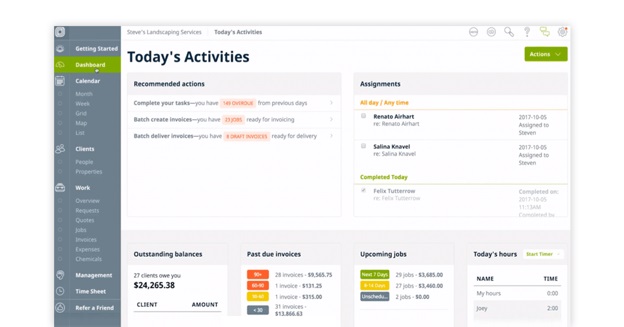
Jobber is the best Field Service Management app for job scheduling and invoicing, making it perfect for small businesses and solo field operators who need a simple, intuitive tool to handle bookings, payments, and daily coordination.
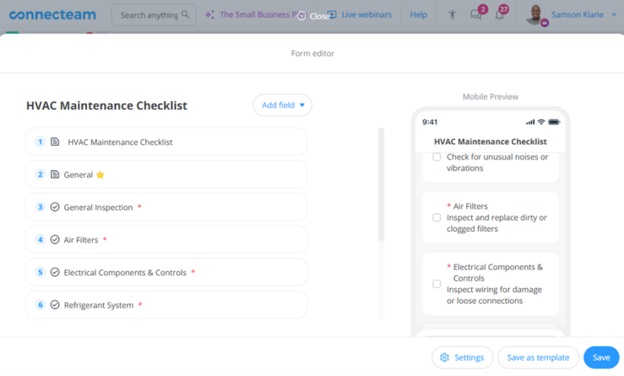
Connecteam is an ideal Field Service manager for mobile-first small field teams. This is the top option for businesses with distributed, on-the-go workers who rely primarily on mobile devices to communicate and organize schedules, such as cleaning teams, repair crews, or maintenance services.
Here’s a detailed overview of all these software programs.
1. Housecall Pro
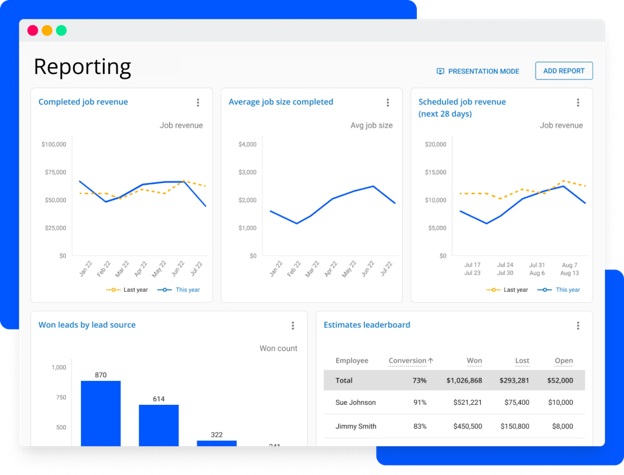
The best Field Service Management software, Housecall Pro, ensures jobs are assigned correctly with its drag-and-drop function. Moreover, this cloud-based software also performs workflow analysis and job tracking to improve operational performance.
Additionally, Housecall Pro makes it easy to pull up customer details, directions, and job information from anywhere and offers the following features.
Key features
- In-app chat to help teams communicate effectively.
- An option to send invoices through email, get insights, and track payments.
- Setting permissions for teams to process payments, get signatures, update tasks, etc., in real-time.
- Employee time and GPS tracking for enhanced productivity.
Pros
- Customizable templates and price books
- Integrations with tools such as Profit Rhino and CompanyCam
Cons
- Available only in the US and Canada
Also know: Best Ways to Open Computer Management in Windows 11
2. ReachOut Suite
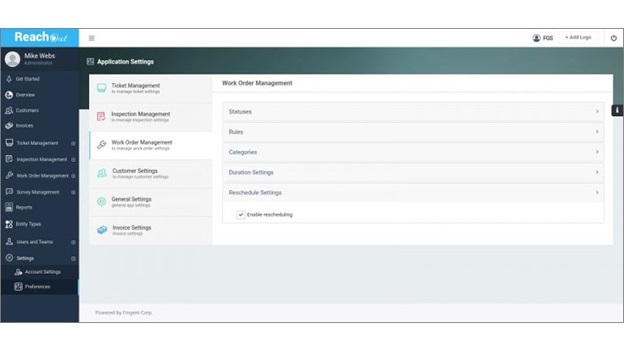
ReachOut Suite is the best Field Service Management program for those looking for software that handles growth without introducing the complexity of an enterprise-level system. It offers a single platform for scheduling, dispatching, mobile workflows, asset management, digital inspections, real-time dashboards, invoicing, and inventory tracking. Moreover, it has the following notable features.
Key features
- A centralized CRM to manage all your customer data in a single location.
- Built-in inventory system to access the complete inventory data, manage returns and allocations, and track inventory logs.
- A customer portal that allows customers to access the self-service hub easily and submit service requests directly.
- Route optimization for cost-effective route options and saving routes for future use.
- Checklists to collect field data quickly on phone/tablet.
- An easy and quick option to create quotes and estimates with service costs and share them instantly with customers through email.
- A drag-and-drop scheduler for easy job creation and scheduling.
Pros
- Integration with third-party accounting tools, such as QuickBooks and Xero
- Multi-location management
- Strong reporting visibility
- Configurable workflows
Cons
- Occasional system lags
- Data entry can be time-consuming initially
3. Agentforce Field Service
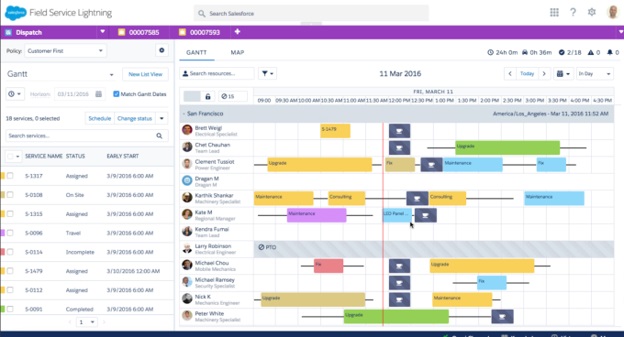
If you are looking for a customer-centric Field Service Software that brings together all your resources, customers, and asset data in one place, Agentforce Field Service is the best choice. It makes field operations easy with an integrated CRM, allows you to increase fixed time rates, improve worker productivity, decrease the ramp-up time of employees, and offers the following features.
Key features
- A quickly searchable knowledge management base for technicians, allowing them to troubleshoot problems in real-time.
- Technicians can connect with experts easily with a visual remote assistant.
- Many features to improve field efficiency and boost sales, such as checklists, dynamic forms, built-in quoting tools, and new lead creation.
- Worker productivity enhancement with AI-powered pre-work briefs containing relevant customer information, history, and asset data.
- AI-generated job summaries to remove manual documentation, save time, and ensure accurate records.
- AI-powered intelligent and smooth scheduling and dispatching with Agentforce and built-in route optimization.
- Complete asset service management with real-time visibility, connected processes, and predictive intelligence.
Pros
- Excellent data integration
- High customizability
Cons
- A small business may need a Salesforce admin to use this software
- It can be complex and expensive for some businesses
4. Jobber
Jobber is yet another Field Service Management app, best for scheduling jobs and invoicing. With this software, you can effortlessly monitor the workers’ performance and ensure timely service for your customers. It also helps streamline your workflow with tools such as invoicing, quoting, billing, and job scheduling. A centralized hub for complete on-field operations management, Jobber offers many automation, collaboration, and real-time information features, such as the following.
Key features
- It helps you create professional and interactive quotes to send to customers.
- Easy scheduling and tracking with a customizable calendar that allows you to assign tasks to the right people and share appointment details with customers and your team.
- One-click invoice generation with complete job details and easy payment options. It also automatically follows up with customers on late payments.
- You can send texts or automated emails to stay connected with your customers.
- It lets you overview your complete field service workflow and get recommendations to keep everything running smoothly.
Pros
- Easy to use
- Powerful customer customization options
- Excellent support for onboarding
Cons
- Limited reporting tools
- Some integrations are unavailable in the base plan
5. Connecteam
Best Field Service Management software for mobile-first teams, Connecteam helps you automate and streamline your business operations. You can use Connecteam to increase employee productivity, flexibility, and satisfaction via custom checklists, forms, reports, and the following notable features.
Key features
- A GPS time clock to schedule worker shifts and track work hours.
- Employees’ live location and resource usage monitoring, and on-the-go task assignment with customer details.
- Digital timesheets for workers to log in and out of work automatically from anywhere.
- Easy work schedule building and sharing with your team on their mobile devices
- A convenient chat option to interact with the team, with tracking of who has read your message.
- It allows workers to share links, images, files, and shortcuts to in-app assets.
- You can add contact notes to inform workers about special requests from customers.
Pros
- Easy and quick onboarding with an intuitive interface
- Comprehensive team management options
- Integration with accounting and payroll programs, such as QuickBooks, Gusto, Xero, Paychex, and ADP)
Cons
- No in-depth performance management
- Only basic reporting tools
That’s all for the best Field Service Management software. You can choose one or more of these programs depending on your requirements to improve customer experience, increase productivity, ensure better communication, enhance real-time work order visibility, manage resources better, empower your technicians with the right resources and information, and minimize attendance errors, such as inaccurate timekeeping. If you have any related questions or concerns, you can write us a comment.
Also know: Best Reference Management Software
Frequently Asked Questions
Q1. What is Field Service Management (FSM) software?
A Field Service Management (FSM) software is a program to manage the resources who work on the client site or outside the office premises. It includes managing activities such as transporting, work scheduling, and administrative activities, for example, billing, inventory, and accounting. You can use these programs to manage various types of field services, for example, repair, maintenance, and installation services.
Q2. Why do OEMs need Field Service Management tools?
Field Service Management is essential for OEMs to ensure technicians have the right parts, manuals, and service history, dispatch service teams efficiently, create a complete machine performance and maintenance record, enable self-service for customers, and offer the customers premium support, extended service packages, or remote diagnostics.
Q3. What are the key features to look for in Field Service software?
A good field FSM software is easy to use and supports automatic scheduling, dispatching the right workers to the right jobs, real-time GPS location tracking, accurate time tracking for correct billing, detailed productivity insights and fair remuneration, real-time inventory management, detailed performance reporting and analytics, built-in billing and invoicing, and seamless customer management.
Q4. What’s the difference between CRM and FSM?
FSM (Field Service Management) means managing the operations through the management of scheduling, dispatching, and work orders of technicians to complete on-site jobs. CRM (Customer Service Management) means managing sales and marketing through the management of customer data and interactions from lead to sale.