

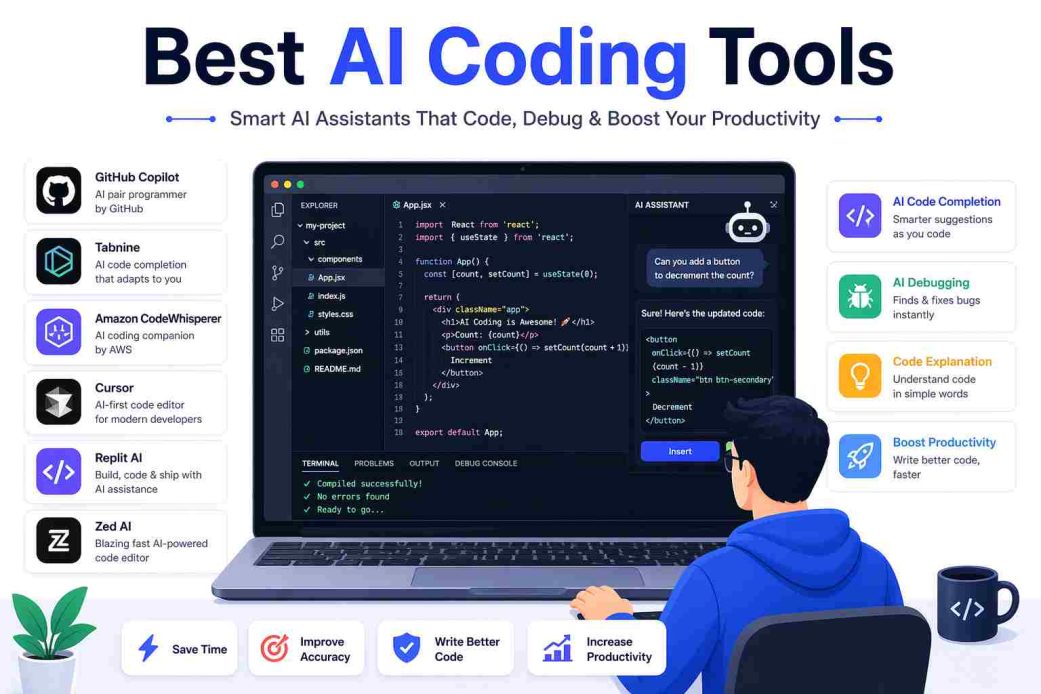
Software engineers no longer spend hours completing, refactoring, and debugging code line by line. They now steer the wheel while AI handles repetitive tasks. The best AI coding tools can write, edit, understand, and navigate code, while you lead them through natural language prompts.
Imagine your midnight thoughts turning into real, working projects by morning. Picture building a lightweight PC optimizer that finds outdated drivers, clears junk files, and speeds up boot time, all from a single prompt. That’s exactly what we did when we first explored AI coding. For this project, we used Cursor (a VS Code-based AI coding tool) and prompted it in Python. We described our requirements in plain English, and the tool generated initial scripts to scan for drivers and clean system files.
One of the challenges was refining the logic for detecting outdated drivers, which required several prompt iterations and manual debugging to handle edge cases in hardware identification. Overall, the process highlighted how quickly you can move from idea to functional prototype, even when the AI required some back-and-forth to reach production-ready quality.
These tools generate code, components, or full interfaces based on what you describe in plain language. You review the result, suggest changes, and repeat until it matches your vision. The result is faster shipping, fewer repetitive tasks like writing unit tests, easier debugging, and quicker prototyping, even on large, unfamiliar codebases.
But with dozens of AI coding tools on the market, picking the right one isn’t obvious. To help you choose, we tested each tool on a sample project and evaluated it based on key criteria: speed and performance, ease of integration into existing workflows, programming language support, documentation quality, and feedback from real-world users.
What Are the Best AI Coding Tools (Full Review)
The best AI tools for coding include Augment Code, Cursor, GitHub Copilot, Claude Code, and Replit.
Each of these tools has its ideal use cases. For example, Augment Code is the best for huge legacy estates that need cross-service changes, spec-driven multi-agent orchestration, and autonomous workflows. Cursor for engineering tasks, such as generating scalable backend APIs with tools like MongoDB and Prisma, modernizing old codebases, refactoring, and improving legacy code with AI suggestions. GitHub Copilot for day-to-day development tasks, such as fast API integrations, repetitive logic, and boilerplate code writing. Claude Code for building complex systems and performing multi-step tasks, such as API design, writing context-aware production-grade logic, and refactoring large codebases. Replit is for educators and learners due to its AI-guided, simple explanations of coding concepts, with no complex setup required to launch production-ready features (for example, generating PDFs, Stripe payments, or assigning role-based access controls).
Let’s now review these AI code tools in detail.
1. Augment Code- Ideal for mid-sized product engineering teams, enterprise engineering organizations, high-growth startups, and senior individual developers
Augment Code is one of the best AI coding tools for database model refactoring. If you need a new feature that involves DB model changes, you can use Augment Code to generate a Liquibase script for migration automatically for a clean and working update. Augment Code feels like a senior developer in your team who understands the problem even if you explain it vaguely, and finds the right solution.
Moreover, the context engine of Augment Code continuously indexes repositories, docs, libraries, and history so that agents function with project-level awareness and not file-level guessing. Additionally, here are other notable features that make Augment Code an excellent AI tool for coding.
Key features
- Augment Code IDE agents convert natural language tasks into edits and pull requests with complete task lists, multiple-step workflows, and persistent memories.
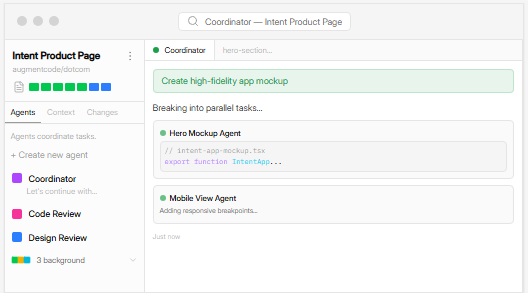
- The intent workspace in the Mac desktop application coordinates agents around a living spec and keeps implementation in sync with requirements in an isolated and reproducible workspace.
- Auggie CLI and Slack integration, so the agents (terminal and chat-based) share the same context for lightweight collaboration and shell-driven workflows.
Pros
- Strong architecture awareness and code reuse
- Supports CLI, IDEs, Slack, and GitHub reviews, ensuring all have a common understanding of the codebase
- Catches minute bugs and style inconsistencies with one-click solutions in the IDE
Cons
- Priced higher than chat-based AI-assisted coding tools, such as GitHub Copilot
- The Intent desktop workspace is only for macOS
- Steep learning curve for those using only inline autocomplete
Click here to learn more about Augment Code
Pro Tip: To make the best of Augment Code, write very detailed prompts, test edge cases manually, review test coverage, and take your time testing and polishing the code.
Also know: Best Free Registry Cleaner Software for Windows
2. Cursor- For developers and engineers, product managers, startups, and tech teams
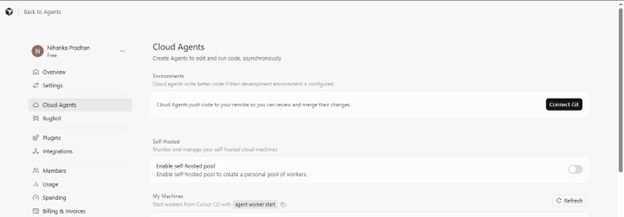
Cursor is one of the best AI vibe coding tools. Though built as a VS Code fork, it functions like an always-on pair programmer. It uses the top language models, such as Claude and GPT, to help write code, fix bugs, and explain confusing codebases in simple English.
We use Cursor to autocomplete functions, refactor code, suggest performance improvements, and make functions (such as scheduling a scan on our PC optimizer) easier in our editor, as Cursor responds to prompts like “make this function easier,” helping us tackle repetitive tasks while focusing on building. Apart from this, the following are the notable features of Cursor.
Key features
- Intelligent code assistance with context-aware code completion, inline code edits with natural language prompts, smart codebase indexing, and support for images and screenshots.
- Multiple AI interaction modes with an interactive chat interface, a standard editor with AI tab commands, a composer workspace to generate complex codes, and automated problem-solving with an agent mode.
- Advanced development tools, such as Terminal commands generation, documentation writing, automated test generation, custom rules for AI behavior, and multi-file refactoring.
Pros
- A comprehensive feature set with everything from high-end context management to multiple tab iterative updates
- Continuously updates the index by adding new files when they are created
- You can exclude specific files/folders from getting indexed
- A privacy mode for greater privacy control
Cons
- Inconsistent code edits with models such as Gemini 2.5 Pro
- Slow indexing and responsiveness when dealing with large codebases
- Chat memory is limited to the active session
Click here to learn more about Cursor
3. GitHub Copilot- For individual developers, students, educators, and open-source maintainers
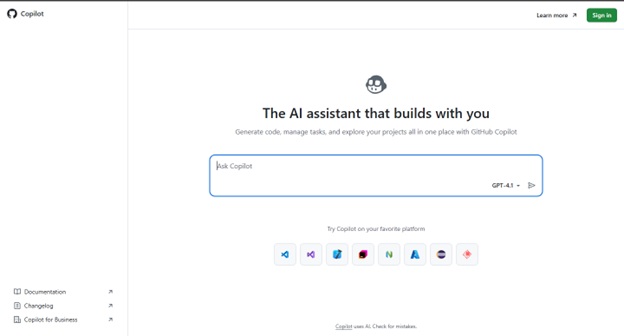
Next, we have GitHub Copilot on our list of the best AI tools for coding. According to GitHub, it can speed up your coding by up to 55% by analyzing your entire project, suggesting intelligent completions, generating functions, documentation, and tests. GitHub AI coding tools are considered a gold standard for coding with AI. A code generation champion, it is an AI pair programming tool developed by OpenAI and GitHub with interactive chat capabilities, debugging assistance, and the following features.
Key features
- Intelligent code generation with multiple suggestion alternatives, next edit prediction, 14+ programming language support, automated test generation, and documentation writing help.
- Development support with Copilot chat for simple code explanations, security remediation suggestions, command line generation for CLI, pull request summaries, and code review assistance.
- Smooth integration and real-time code suggestions with Neovim, Visual Studio, Visual Studio Code, and JetBrains IDEs.
Pros
- Quick boilerplate code and repetitive structures generation
- Speeds up documentation and inline comments
- An on-the-go mentor to learn new languages with syntax hints and code snippets
Cons
- Sometimes generates insecure or inefficient code in edge cases
- Prompt misinterpretation, resulting in irrelevant or confusing results
- Struggles with comprehensive test coverage when dealing with large codebases
Click here to learn more about GitHub Copilot
4. Claude Code- For individual developers and small-to-mid teams
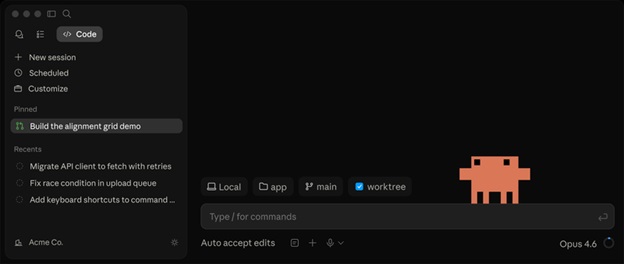
Claude Code is among the best coding AI tools that integrates into your development environment directly to generate, edit, and analyze code. It makes handling repetitive coding functions and code reviews easier with its deep codebase understanding, native IDE integration, and automated PR generation.
If you are comfortable working from the terminal, you can use Anthropic’s terminal-based AI code tool, Claude Code, to coordinate tasks across a repository, such as opening and modifying multiple files, generating configuration and setup codes, running project commands, showing differences before applying changes, and working with Git workflows. Additionally, here are the prominent features of Claude Code.
Key features
- Its powerful agentic search intelligence understands your whole codebase without manual context selection to make coordinated changes across files.
- Claude Code integrates with VS Code/JetBrains IDEs and uses your build systems and test suites.
- It supports multiple languages, such as JavaScript, Go, Python, and more.
- Claude Code detects and resolves bugs and syntax issues automatically.
Pros
- More thoughtful code generation than other AI tools, such as GitHub Copilot
- Test integration to run tests, detect failure, fix code, and re-run tests
- No setup codebase navigation, you can point and ask questions about any project without indexing, configuration, or embeddings
- Context-aware multi-file edits; it asks when something is ambiguous rather than making wrong guesses.
- It supports all editors, such as Vim, VS Code, and Emacs.
- Chat in Claude.ai and code in Claude Code
Cons
- No ghost or tab completion
- The terminal interface looks unpleasant
- Feels slow when working on complex tasks, as extended thinking and multi-file operations can take anywhere from thirty to ninety seconds
- No click-to-accept, no side-by-side diff, and no annotations
Click here to learn more about Claude Code
5. Replit- For beginners with no/little coding experience, freelance developers, small teams
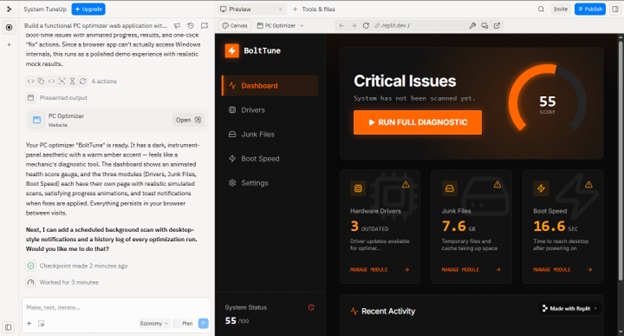
If you are a non-technical person with an app idea, Replit can help you bring it to reality. Replit is a cloud-based platform to build and deploy applications in the browser with the Replit AI agent. It can generate apps and automations from prompts in plain English. Moreover, its top capabilities include coding in over 50 programming languages (such as Python, C++, JavaScript, etc.) from a template, and the following features that make it one of the best no-coding AI tools.
Key features
- An AI assistant that offers live coding tips, helps write and fix code, and guides throughout the development process.
- It shows a real-time preview with a live interface design of the application being built.
- Eliminated complex server setups by launching applications directly from the editor with one click.
- It allows multiple people to work on a project simultaneously with built-in chat and live cursors.
Pros
- Learns from code patterns and offers relevant suggestions to match your pattern
- Fast and easy app building; you can build an app within two hours
- Complete app building and hosting in a single place
Cons
- Runs out of credits pretty quickly
- Unpolished default UI
- Not very capable of handling vague instructions
Click here to learn more about Replit
That concludes our review of the best AI coding tools to save your time on unit testing, debugging, or prototyping. Even if you are a beginner, you can bring your vision into reality with these tools. However, you must choose the right tool to ensure it meets all your requirements.
Also know: Best Text Editor Software for Windows
How to Choose the Best AI Tools for Coding
To make an informed decision, consider the following factors, besides security and privacy, learning curve, and scalability, when choosing an AI coding platform.
- All AI tools for coding have their unique strengths. For example, some of them are generative AI coding tools, while others offer language-specific coding solutions. Hence, test tools that match your programming language and project types to choose the one that aligns with your specific requirements.
- Pre-selected models that follow flat-rate pricing offer optimized integration with some specific AI models and often suggest discounted token usage. On the other hand, those offering flexible models allow you to use your API keys and run local models. Hence, consider your LLM integration needs and pricing strategy when selecting AI tools for coding.
- Some tools perform project-wide analysis to manage project context, while others support multi-file context or customizable prompts. Hence, to ensure the tool can effectively understand and modify your codebase, check its context management.
- Make sure you consider maintenance challenges, such as outdated patterns that don’t align with the latest language features, naming convention inconsistency in the generated code, and integration issues with your existing codebases.
AI-generated codes, no matter the AI coding tool used, are a double-edged sword with both benefits, such as improved speed, and risks, such as security vulnerabilities. Hence, always consider the risks involved before moving ahead with AI tools.
What Are the Security Concerns and Risks of AI Coding Tools
Compared to human-written codes for the same tasks, AI-generated codes can have the following risks.
- If the models are trained on flawed or insecure samples, the AI-generated code can have vulnerabilities, such as cross-site scripting, SQL injection, or hard-coded secrets.
- AI-generated configuration files or infrastructure-as-code templates may include insecure default settings (for example, unrestricted controls), overexposed sensitive information (for example, API or encryption keys), insufficient access controls, and non-alignment with the organization’s security policies.
- AI-generated test cases may not appropriately cover edge cases or security-focused scenarios, resulting in undetected authentication, data validation, and authorization-related vulnerabilities.
- Privacy issues due to false positives or false negatives, due to classifying bugs incorrectly, or overlooking critical issues.
While the above risks exist, developers can review AI-generated code (focusing on unintended malware, biased code, or malicious code), a human-in-the-loop system to critically review AI results, AI guardrails to enforce coding guidelines and internal security policies, developer training workshops, automated scanning for common vulnerabilities, input validation and contextual testing, and regular audits of AI tools can help mitigate these security risks.
Moreover, the best AI coding tools in this article, such as GitHub Copilot, offer real-time vulnerability scanning to avoid these security risks and concerns.
However, if you have any questions or confusion, you can leave us a comment.
Frequently Asked Questions
Q1. What security certifications do enterprise teams need for AI coding assistants?
AI coding tools need essential certifications, such as SOC 2 Type II, to validate that the security controls are operating effectively over a period, ISO/IEC 42001:2023, to ensure the tool handles AI-specific risks, data, and algorithmic accountability satisfactorily, and ISO 27001 to ensure a detailed information security management system.
Q2. What are AI coding tools for developers, and should developers use these tools?
AI code tools for developers are software apps powered by LLMs or Large Language Models to help developers write, debug, test, and document code. Developers can use these tools, treating the tool like a junior developer who can understand context, predict code patterns, and automate repetitive tasks, to speed up the process.
Q3. What is the difference between AI coding assistants, AI coding agents, and AI coding tools?
AI assistants are reactive tools (such as autocomplete) that perform tasks at your request. AI agents are proactive tools that work autonomously to plan, execute, and debug complete tasks. AI coding tools are a broader term that includes both AI coding assistants and AI coding agents, along with specialized AI tools for security, documentation, and code review.
Q4. How do AI coding tools work?
AI tools for coding use LLMs or Large Language Models that are trained on huge datasets of code to predict, generate, and complete code based on plain text prompts describing what you want the code to do, or the current context within your Integrated Development Environment (IDE). These tools work by breaking your input into tokens and then applying statistical modeling to suggest relevant code to improve efficiency and detect bugs.
Q5. Can AI coding replace human developers and programmers?
Programming is not only about writing code. It also involves creative problem-solving, thoughtful designs, and the ability to use the powerful AI code tools. Hence, AI cannot replace developers and programmers if they understand what they are building and why. Moreover, human oversight is non-negotiable because of AI limitations, such as a lack of innovation, hallucinations (resulting in inaccurate code), security risks, and copyright and intellectual property concerns.
